
SafetyNet Wireless is a real, FCC-recognized Lifeline provider. If you qualify, you can get a free cell phone plan; free monthly talk, text, and data – and in some states a free Android phone, all paid for by the government’s Lifeline program. It’s a smaller carrier than SafeLink or Assurance, it runs on the AT&T and T-Mobile networks, and it currently serves nine states plus California’s own LifeLine program.
That said, it’s not the right fit for everyone. In this 2026 review, we’ll cover exactly what SafetyNet gives you, where it works, what the “free phone” really looks like, the true pros and cons (including some common complaints), and how to apply – so you can decide before you sign up.
Is SafetyNet Wireless legit?
Yes. SafetyNet Wireless is the brand name of Amerimex Communications Corp., a company the FCC has designated as an Eligible Telecommunications Carrier (ETC); the official status a company must hold to offer the Lifeline discount. Your eligibility is checked through the government’s National Verifier, not by SafetyNet itself. That’s a good sign you’re dealing with a genuine program and not a scam.
The company is based in Florida and says it has served millions of households over many years.
Before you apply, it’s also worth confirming SafetyNet actually serves your ZIP code, because the list of Lifeline carriers changes over time. You can check on the government’s official “Companies Near Me” tool.
SafetyNet Wireless coverage: network and states served
SafetyNet doesn’t own cell towers. It’s a Mobile Virtual Network Operator (MVNO), which means it rents space on the AT&T and T-Mobile networks. In practice, that gives you fairly broad coverage in the areas those two carriers reach.
One important limit to know: SafetyNet caps its Lifeline data speed at up to 1 Mbps. That’s fine for calls, texts, email, maps, and basic browsing, but it’s slow for HD video or big downloads – video usually streams in standard definition. Plans are hotspot-capable.
As of 2026, SafetyNet offers federal Lifeline in these states:
- Colorado
- Georgia
- Kentucky
- Michigan
- Missouri
- New York
- Oklahoma (including Tribal lands)
- Pennsylvania
- Wisconsin
SafetyNet also offers California LifeLine, California’s own state version of the program, which has its own rules and income limits.
SafetyNet Wireless plans and prices (2026)
SafetyNet’s free Lifeline plan looks different depending on your state, because each state’s plan is built around the standard $9.25/month Lifeline discount (or the larger $34.25/month benefit on Tribal lands). Here’s what the free ($0/month) plan includes in each state, plus the paid upgrade if you want more data:
| State(s) | Free plan ($0/mo) | Paid upgrade for more data |
|---|---|---|
| Kentucky | Unlimited talk & text + 1GB data | $9/mo — unlimited talk & text + 4.5GB |
| Wisconsin | 400 min talk + unlimited text + 100MB data | $14.25/mo — 350 min + unlimited text + 4.5GB |
| PA, MI, GA, CO, NY, MO & non-Tribal OK | 1,000 min talk + unlimited text + 25MB data | $15/mo — 350 min + unlimited text + 4.5GB |
| Oklahoma (Tribal lands) | Unlimited talk & text + 4.5GB data | $1/mo — 5GB · $5/mo — 5.5GB |
A few notes on the plans:
- Free data is limited. Outside the Oklahoma Tribal plan, the free plans include very little data (25MB–1GB). If you use data away from Wi-Fi, you’ll likely need a paid upgrade.
- Watch for the activation fee. Several plans list a $25 activation fee — confirm this for your state before you enroll.
- The Oklahoma Tribal plan is the standout. Its unlimited talk/text and 4.5GB of free data reflect the enhanced Tribal Lifeline benefit.
- Refills are available. You can buy top-up refills if you run out mid-month.
Remember, Lifeline is one benefit per household, so you can’t stack SafetyNet on top of another Lifeline plan.
The “free phone”: what to really expect
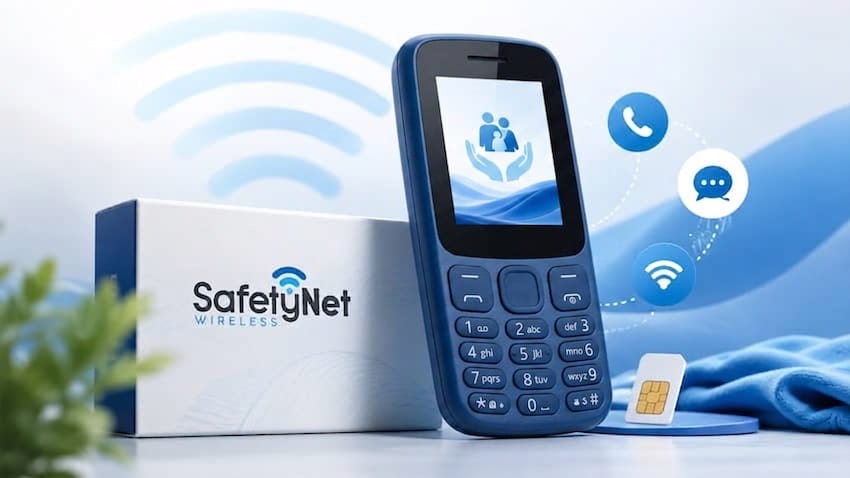
SafetyNet advertises a free phone for new customers, and in several states you will get one; but set your expectations realistically. As with almost every Lifeline carrier, the free device is typically a basic, entry-level Android smartphone, not a new Samsung Galaxy or iPhone. In some states you may pay a small fee for the device, and higher-end phones are paid “upgrades,” not freebies. The exact model and availability vary and can change at any time, so no provider – SafetyNet included can promise you a specific phone. For a realistic look at what these devices are like, see our guide to the best Lifeline phones.
If you already have a phone you like, SafetyNet has a Bring Your Own Phone (BYOP) option. Your phone needs to be carrier-unlocked and compatible with the AT&T or T-Mobile networks; devices bought from T-Mobile or its brands usually work well. You’ll get a SIM card to activate service on your own handset. Our Bring Your Own Phone guide walks through how to check compatibility.
Switching from another Lifeline carrier and want to keep your current number? You usually can- here’s how to keep your number when you switch.
Who should consider SafetyNet Wireless
SafetyNet can be a good fit if you:
- Live in one of its nine states (or qualify for California LifeLine).
- Live on Tribal lands in Oklahoma — that plan (unlimited talk/text + 4.5GB free) is genuinely strong.
- Want to bring your own unlocked phone and just need a free SIM and plan.
- Prefer a smaller carrier, or have had trouble with one of the big ones.
It’s probably not the best fit if you:
- Need lots of fast data. The 1 Mbps cap and small free-data allotments are limiting. A bigger carrier like Assurance Wireless or SafeLink Wireless may give you more.
SafetyNet Wireless pros and cons
Pros
- Free monthly talk, text, and data if you qualify.
- Runs on two major networks (AT&T and T-Mobile) for solid coverage.
- Strong Tribal plan in Oklahoma.
- Bring-your-own-phone option with a free SIM.
- Bilingual (English and Spanish) phone support.
Cons
- Available in only nine states, plus California LifeLine.
- Data speeds capped at 1 Mbps, with small free-data allotments in most states.
How to apply for SafetyNet Wireless
Applying takes just a few minutes. Here’s the process:
- Check your eligibility. You qualify if your household income is at or below 135% of the Federal Poverty Guidelines, or if you (or someone in your household) take part in a qualifying program like Medicaid, SNAP, SSI, Federal Public Housing Assistance, Veterans Pension or Survivor benefits, or a Tribal program. See our full Lifeline eligibility guide. (Note: California LifeLine uses its own, higher income limits.)
- Confirm SafetyNet serves your ZIP. Use the official Companies Near Me tool, or SafetyNet’s own site, to make sure it’s available where you live.
- Gather your documents. Have proof ready — a benefit award letter, or an income document like a recent pay stub or tax return.
- Apply online or by phone. Start SafetyNet’s application at safetynetwireless.com, or call 1-888-224-3213. Your details are checked against the National Verifier.
- Get approved and activate. Once approved, you’ll receive your SIM or phone with activation instructions. Some applicants are approved within minutes; others take longer.
For the full walkthrough that applies to any carrier, see how to apply for Lifeline. If you’re turned down, our guide on what to do if your Lifeline application is denied can help.
Don’t forget: you must recertify every year to keep your benefit.
SafetyNet vs. the bigger Lifeline providers
SafetyNet is a smaller, regional player. If you want to compare it against the national carriers before deciding, our full reviews of Assurance Wireless, SafeLink Wireless, and AirTalk Wireless break down data, phones, and coverage side by side. In general, the big carriers serve more states and often offer more data, while SafetyNet’s edge is its Oklahoma Tribal plan and its two-network coverage.
Our verdict
SafetyNet Wireless is a legitimate way to get a free Lifeline phone and plan if you live in one of its states and you qualify. It shines for Tribal residents in Oklahoma and for people who want to bring their own phone. The trade-offs are real, though: slow data, small free-data allotments in most states, some plan fees, and customer service that leaves many users frustrated.
If those drawbacks don’t bother you – or if SafetyNet is one of the few options where you live; it’s worth applying. If you want more data or a smoother support experience, compare it with the bigger carriers first. Either way, the benefit comes from the same government program, so there’s no harm in applying to the provider that fits you best.
Frequently asked questions
Yes, if you qualify for Lifeline. The government’s $9.25/month discount ($34.25 on Tribal lands) covers the cost of SafetyNet’s base plan, so you pay $0/month for it. Just watch for a possible $25 activation fee and device co-pay in some states, and confirm those before you enroll.
SafetyNet is an MVNO that runs on the AT&T and T-Mobile networks, so your coverage depends on where those two carriers reach.
As of 2026, SafetyNet offers federal Lifeline in Colorado, Georgia, Kentucky, Michigan, Missouri, New York, Oklahoma, Pennsylvania, and Wisconsin. It also offers California LifeLine in California. Always confirm your ZIP on the Companies Near Me tool, since coverage can change.
In several states, yes usually a basic Android smartphone. In others you may pay a small device fee, and nicer phones are paid upgrades. You can also bring your own compatible, unlocked phone and use a free SIM instead.
Usually, yes. Ask SafetyNet to transfer (port) your number when you sign up, and don’t cancel your old service until the transfer is confirmed.
Call 1-888-224-3213. English support is available Monday through Friday and on weekends; Spanish support is available on weekdays. Be aware that some customers report long wait times.