
If you are searching for a free government phone, you have probably run into the name Assurance Wireless more than once. It is one of the biggest and oldest names in the Lifeline program, so it shows up almost everywhere. But being big does not always mean being right for you.
I spent time going through Assurance’s own plan pages, checking their coverage tool for readers in different states, and reading hundreds of real customer reviews so you don’t have to. This review lays out exactly what Assurance Wireless gives you in 2026, what it holds back, and who should sign up (and who might be happier somewhere else).
Quick Take: Is Assurance Wireless Worth It in 2026?
Here is the short version before we dig into details.
Assurance Wireless is a solid choice if you live in a city or suburb where T-Mobile has strong signal, you just need a dependable free phone plan, and you don’t mind a basic device. It is available in most states and backed by a major national carrier, so it is not going anywhere.
Look elsewhere if you live in a rural area with weak T-Mobile coverage, or you want the most data or a nicer phone. In those cases a Verizon-network provider like SafeLink or a high-data provider like AirTalk may serve you better.
That is the honest summary. Now the full picture.
Who Owns Assurance Wireless? (And Why It Matters)
Assurance Wireless is owned by T-Mobile. It became part of T-Mobile through the Sprint merger back in 2020, and it has been running as a Lifeline provider since 2008. So this is not a tiny, here-today-gone-tomorrow company. It is a subsidiary of the second-largest wireless carrier in the country.
Why does that matter to you? Because your phone runs directly on T-Mobile’s own 4G LTE and 5G network – the same towers that power T-Mobile’s regular paying customers. Many smaller Lifeline providers rent space on a bigger network as a middleman. Assurance is closer to the source. Simply put: where T-Mobile has good signal, your Assurance phone should too.
There is a flip side, and I’ll be straight about it. T-Mobile is strongest in cities, suburbs, and along highways. In deep rural areas, its coverage can be thin. I checked Assurance’s coverage tool for a reader in a rural county, and it flagged that service was available but “may be limited.” That is worth paying attention to before you apply.
Assurance Wireless Plans in 2026
Assurance keeps its Lifeline plan simple. You get free monthly service, and the exact amount of data depends on your state.
| Plan | Talk | Text | Data | Cost |
|---|---|---|---|---|
| Standard Lifeline (most states) | Unlimited | Unlimited | Up to 10GB high-speed | Free |
| California LifeLine | Unlimited | Unlimited | 12GB | Free |
| Data “Peace of Mind” add-on | — | — | Extra data | $1/month or $10/year |
A few things to know:
- Your data amount can vary by state. Assurance sets slightly different offers in different areas, and some states have historically started at a lower minimum. Always check the exact number shown during signup for your ZIP code, that is the real offer.
- Data does not roll over. Whatever you don’t use in your service month is gone. It does not stack up for later.
- You must use it or lose it. Make a call, send a text, or use data at least once every 30 days. If you go quiet for too long, your Lifeline benefit can be shut off and you would have to reapply.
- Add-ons are optional. If 10GB isn’t enough, the “Data Peace of Mind” add-on gives you extra data for about a dollar a month. There are also larger paid bundles for more minutes and data if you ever need them.
One honest heads-up from reading customer reviews: a few people were surprised when a “$1” add-on showed a higher total at checkout because of taxes and fees. That is normal for phone service, but it is worth knowing so it doesn’t catch you off guard.
Assurance Wireless Phones: What You Actually Get
The free phone
Eligible customers can get a free Android smartphone, shipped to you after your application is approved. It comes with a SIM card and setup instructions. These phones are handled by a third-party vendor, not by Assurance directly.
Set your expectations correctly: the free phone is a basic model. It will do the everyday things – calls, texts, maps, email, browsing, social media; but it won’t feel like a flagship. The screen, camera, and battery are all “gets the job done,” not “wow.” You also don’t get to pick the exact model; it rotates based on what is in stock, and free phones are offered while supplies last.
I want to be fair here, because a free smartphone that keeps you connected to family, work, and 911 is genuinely valuable when money is tight. But if you have used a nicer phone before, the free one may feel like a step down. That is the trade-off with any free government phone, not just Assurance.
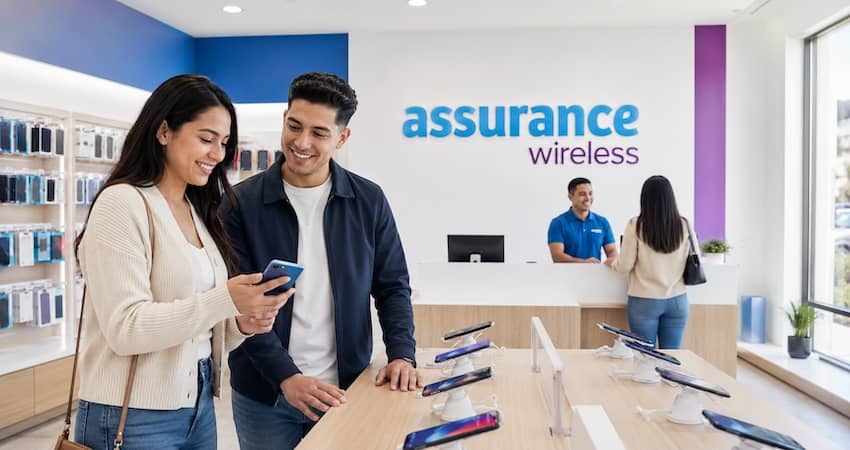
Low-cost and bring-your-own-phone options
If the free phone isn’t for you, there are two other paths:
- Buy a low-cost phone. Assurance sells simple devices starting around $25. A modest upgrade over the free one.
- Bring your own phone (BYOD). If you already own an unlocked phone that works on T-Mobile’s network, you can keep it and just add an Assurance SIM card. Many people report a better experience this way, because your own phone is often nicer than the free one.
One caution: reviews mention the free/included devices come with a short warranty (around 90 days). If you can bring your own reliable phone, that is often the smoother route.
Coverage: Where Assurance Wireless Works Best
Because Assurance rides on T-Mobile, its coverage map is basically T-Mobile’s map.
Assurance Wireless is available in the large majority of U.S. states, including big ones like California, Texas, Florida, New York, Georgia, Illinois, Ohio, and many more. But “available in your state” is not the same as “great signal at your house.” Coverage is strongest in urban and suburban areas and along major roads.
Rural readers, this is your section. If you live out in the country, especially in areas where T-Mobile’s network is still being built out, you may see slow speeds or dropped calls. In those spots, a Lifeline provider on the Verizon network (like SafeLink) sometimes performs better. The smartest move takes two minutes: run your exact ZIP code through Assurance’s coverage checker before you apply. If it warns that coverage “may be limited,” take that seriously.
Who Qualifies for Assurance Wireless?
Assurance uses the standard federal Lifeline rules. You qualify in one of two ways.
1. By income. Your household income is at or below 135% of the Federal Poverty Guidelines.
2. By program. You (or someone in your household) take part in a qualifying assistance program, such as:
- Medicaid (Medi-Cal in California)
- SNAP / Food Stamps (CalFresh in California)
- Supplemental Security Income (SSI)
- Federal Public Housing Assistance
- Veterans Pension or Survivors Pension
- Certain Tribal programs (which may unlock an enhanced benefit on Tribal lands)
Remember the golden rule of Lifeline: one benefit per household. A household means people who live together at the same address and share income and expenses. You can’t get two Lifeline phones under one household.
Not sure if you qualify? It’s worth reading a full breakdown of the rules before you apply so you get approved the first time.
How to Apply for Assurance Wireless (Step by Step)
The process is straightforward. Here is how it goes:
- Check availability. Go to assurancewireless.com and enter your ZIP code to confirm service is offered where you live.
- Start your application. Apply online, or call Customer Care at 1-888-321-5880 if you’d rather talk to a person.
- Prove you qualify. Have your documents ready for proof of income, or proof you’re in a qualifying program (like a Medicaid or SNAP letter), plus a valid ID. Clear, current documents speed things up a lot.
- Pick your phone option. In the phone section, choose the free phone (while available) or a low-cost device, or select bring-your-own-phone.
- Wait for approval and shipping. Once you’re approved, Assurance ships your phone and SIM with setup instructions.
- Activate and use it. Follow the steps to activate, then remember the “use it every 30 days” rule to keep your benefit alive.
A small tip from the reviews: shipping and activation are where some people hit snags. If your phone is slow to arrive or your SIM won’t activate, don’t panic and don’t give up – keep records of your calls and follow up. Most issues do get resolved, they just sometimes take a couple of tries.
Customer Care runs 7 days a week, 7 a.m. to 7 p.m. Central Time, at 1-888-321-5880. There’s also a general line at 1-888-898-4888.
What Real Customers Say (The Good and the Bad)
I won’t sugarcoat this, because you deserve the full story before you commit.
On third-party review sites, Assurance’s ratings run low. Across sites like Trustpilot, Sitejabber, PissedConsumer, and ComplaintsBoard, the average scores sit in the 1.4-to-2.1-star range, with hundreds of complaints. Here is some fair context, though: Assurance serves a huge number of free customers, and free-service companies almost always collect more complaints than premium ones. Volume alone doesn’t tell the whole story. Still, the patterns are worth knowing.
The most common complaints:
- Customer service is hard to reach. This is the biggest theme by far; long waits, dropped issues, and trouble getting a real answer.
- Basic devices. Some people feel the free phones are low quality or run into problems after a few months.
- Shipping and activation delays. Orders stuck “processing,” SIM cards that won’t activate, or number transfers that drag on.
- Add-on billing confusion. A handful of users were surprised by taxes pushing a cheap add-on higher at checkout.
What people appreciate:
- The service is genuinely free for those who qualify.
- It runs on a major, stable network and is available in most states.
- Many long-term users quietly keep it for years without drama – those folks just don’t leave reviews.
Assurance Wireless: Pros and Cons at a Glance
Pros
- Free unlimited talk and text, plus a solid data allowance
- Runs directly on T-Mobile’s nationwide 4G LTE / 5G network
- Available in the large majority of states
- Backed by a major carrier — stable and here to stay
- Free phone or bring-your-own-phone options
- Cheap add-ons if you need more data
Cons
- Customer service gets frequent complaints
- Free phones are basic and come with a short warranty
- Weak coverage in some rural areas (T-Mobile’s soft spot)
- Data doesn’t roll over, and the “use it or lose it” rule is strict
- Some report shipping and activation delays
How Assurance Compares to Other Lifeline Providers
You don’t have to choose Assurance just because it’s the first name you found. Two quick comparisons worth keeping in mind:
- Assurance vs. SafeLink: SafeLink runs on the Verizon network, which often reaches rural areas better than T-Mobile. If you’re outside a city and struggle with signal, SafeLink is worth a look.
- Assurance vs. AirTalk: AirTalk tends to offer more data and is the main path to a free iPhone through Tribal Lifeline. If data or device quality is your top priority, compare it against Assurance.
The best approach is to check which providers actually serve your ZIP code, then compare their real offers side by side before you decide.
Final Verdict
Assurance Wireless earns a fair, cautious recommendation for 2026. It’s a big, established, T-Mobile-backed provider that delivers exactly what the Lifeline program promises: free talk, text, and data plus a phone, at no cost to people who qualify. For city and suburban readers with decent T-Mobile signal, it’s a dependable choice you can trust to stick around.
Expect a basic free phone, be ready to be patient with customer service, and most important – check your coverage before you apply. If T-Mobile is strong where you live, Assurance is a good place to land. If it isn’t, a Verizon-based provider will likely make you happier.
Either way, you’re now equipped to make the call that’s right for your home, not just the one a company wants you to make.
Frequently Asked Questions
Yes. If you qualify for Lifeline, the monthly talk, text, and data service is free. The free phone is also free while supplies last. Optional add-ons and low-cost device upgrades cost extra.
It uses T-Mobile’s 4G LTE and 5G network, because Assurance is owned by T-Mobile.
In most cases, yes. You can request to transfer (port) your existing number when you sign up. Number transfers can take a day or two, so start the process early.
You must use your service at least once every 30 days. If you don’t, your Lifeline benefit can be canceled and you’d have to reapply.
Yes. If you have an unlocked phone that’s compatible with T-Mobile’s network, you can bring it and use an Assurance SIM card.
Related Guides on LifelineFree.com
- How to Check Your Assurance Wireless Application Status — track your application after you apply.
- How to Activate Your Assurance Wireless Phone — step-by-step setup once your phone arrives.
- Assurance Wireless APN Settings — fix data problems after activation.
- Assurance Wireless Phone Replacement — what to do if your device breaks or is lost.