
Yes, you can bring your own phone to Life Wireless. Most phones work if they are unlocked, support 4G LTE with HD Voice, and work on the AT&T network. Life Wireless runs on AT&T towers, so a phone that works on AT&T or Cricket usually works on Life Wireless too.
This guide covers which phones are most likely to work, how to check your own phone in about five minutes, and what to know about SIM cards, eSIMs, and keeping your number.
Quick Answer
- Network: Life Wireless uses AT&T’s network. Its coverage page sends you to AT&T’s reseller coverage map.
- Phone must be: unlocked, GSM-compatible, and able to make calls over 4G LTE (HD Voice / VoLTE). Old 3G-only and CDMA-only phones will not work.
- SIM or eSIM: Life Wireless offers both. Its Texas plan page lists a one-time, non-refundable $50 fee for a physical SIM card or eSIM .
- Keep your number: Yes. Call Life Wireless at 1-888-543-3620 after you’re approved, and a rep will help move your number.
- No official model list: Life Wireless does not publish a full list of compatible phones, so check your phone’s IMEI before you apply.
Can You Bring Your Own Phone to Life Wireless?
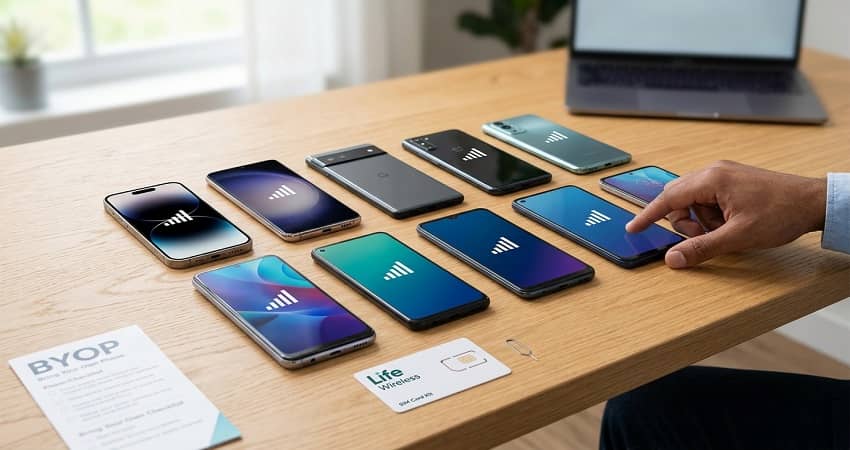
Yes. Life Wireless says on its own website that you can bring your own phone and keep your phone number when you join. Its plans page also invites customers to “bring it” if they love their current phone. BYOP (bring your own phone) means you get Lifeline service from Life Wireless while using a phone you already own.
Your phone still has to pass a compatibility check. A phone that works well on one carrier can fail on another, mostly because of network type and carrier locks. The sections below explain both in plain terms.
Not sure BYOP is right for you? Our complete guide to bringing your own phone to Lifeline compares BYOP with taking a free phone.
Which Network Does Life Wireless Use?
Life Wireless uses the AT&T network. The company resells AT&T service. On the Life Wireless coverage page, the map link goes straight to AT&T’s reseller coverage map. Life Wireless advertises 5G, 4G LTE, and 4G service, subject to network availability and handset compatibility.
This matters for BYOP in two ways:
- Your phone must work on AT&T’s network. AT&T says phones must be GSM-compatible. CDMA phones won’t work.
- Check coverage at your address. If AT&T signal is weak where you live, Life Wireless signal will be weak too, no matter how good your phone is.
Not the same as AT&T Lifeline. Life Wireless runs on AT&T towers, but it is a separate company (Telrite Corporation). AT&T also offers Lifeline directly in some states. See our AT&T Lifeline discount guide if you want that option instead.
What Phones Are Compatible with Life Wireless?
Life Wireless does not publish a full list of compatible phone models. Instead, compatibility depends on whether your phone meets AT&T-network requirements. The table below shows which kinds of phones usually pass and which usually fail. It is a guide, not a guarantee. Always confirm your exact phone with an IMEI check.
| Your phone | Likely to work with Life Wireless? | What to check |
|---|---|---|
| Bought from AT&T or Cricket (paid off and unlocked) | ✅ Very likely | Make sure it’s unlocked and not reported lost or stolen |
| Bought “factory unlocked” (from Apple, Samsung, Google, Motorola, or a big US retailer) | ✅ Very likely | US model with 4G LTE and HD Voice |
| Recent iPhone, unlocked | ✅ Very likely | Unlocked, plus Settings → General → About shows no carrier lock |
| From T-Mobile or Metro, unlocked | ⚠️ Often works | Must be unlocked and support AT&T’s LTE bands |
| From Verizon, unlocked (newer 4G/5G model) | ⚠️ Often works | Must be unlocked; most newer Verizon phones are GSM-capable, older ones may not be |
| Still locked to another carrier | ❌ Won’t work yet | Ask your old carrier to unlock it first |
| Old 3G-only phone or basic flip phone without HD Voice | ❌ Won’t work | AT&T shut down its 3G network in 2022 |
| CDMA-only phone (older Sprint, Verizon, or US Cellular models) | ❌ Won’t work | No fix; you’d need a different phone |
| Phone with an unpaid balance or reported lost/stolen | ❌ Won’t work | IMEI is blocked until the issue is cleared |
| International or “global” model | ⚠️ Hit or miss | May be missing AT&T’s LTE bands; check before applying |
Tip for spec-checkers: AT&T’s main 4G LTE bands include 2, 4, 12, 17, and 66. A phone that supports most of these, plus VoLTE on AT&T, has a strong chance of working well.
Life Wireless BYOP Requirements
To bring your own phone to Life Wireless, your phone should meet all five of these requirements. If it misses even one, activation can fail or calls may not connect.
- Unlocked. The phone must not be locked to your old carrier. If you still owe money on it, the old carrier usually won’t unlock it.
- GSM-compatible. Life Wireless runs on AT&T, a GSM-based network. CDMA-only phones can’t connect.
- 4G LTE with HD Voice (VoLTE). Calls on AT&T now travel over 4G LTE. A phone without HD Voice may get data but fail to make calls.
- Clean IMEI. Your phone’s IMEI (its 15-digit serial number) must not be blacklisted for being lost, stolen, or unpaid.
- Right SIM type. You’ll need either a physical SIM that fits your phone or a phone that supports eSIM.
How to Check If Your Phone Works with Life Wireless
The fastest way to check is to find your phone’s IMEI and confirm it with Life Wireless before you pay any SIM fee. Follow these steps.
- Find your IMEI. Dial *#06# on your phone. A 15-digit number appears on screen. Write it down. You can also find it under Settings → About phone (Android) or Settings → General → About (iPhone).
- Check if your phone is unlocked.
- iPhone: Go to Settings → General → About and look for Carrier Lock. It should say “No SIM restrictions.”
- Android: The quickest test is to borrow a SIM card from a friend on a different carrier. If the phone shows signal and can call, it’s unlocked. If it asks for an unlock code, it’s still locked.
- Run a first-pass network check. Enter your IMEI on AT&T’s “bring your own device” page. Because Life Wireless uses AT&T towers, a pass there is a good sign. Treat it as a first step, not the final answer.
- Confirm with Life Wireless. Call 1-888-543-3620 (or dial 611 from a Life Wireless phone) and give them your IMEI. Ask directly: “Is my phone compatible, and which SIM type do I need?”
- Check coverage at your address. Use the coverage map on the Life Wireless website, which uses AT&T’s map. Check your home, work, and any place you spend a lot of time.
Phone is locked? Contact the carrier you bought it from and ask for an unlock. Each carrier has its own rules and waiting periods, and most require the phone to be fully paid off.
SIM Card vs. eSIM on Life Wireless
Life Wireless offers both physical SIM cards and eSIMs. A physical SIM is a small chip you put into a slot on your phone. An eSIM is a digital SIM built into newer phones that you activate by scanning a QR code or following on-screen steps.
| Physical SIM card | eSIM | |
|---|---|---|
| Best for | Most Android phones and older iPhones | Newer iPhones and many newer Android phones |
| How you get it | Mailed to you | Set up digitally, with no mailing wait |
| Need a SIM tray? | Yes | No |
| Life Wireless fee | One-time $50, non-refundable* | One-time $50, non-refundable* |
Be clear on the $50 SIM fee
Lifeline itself is free to apply for, and no real provider charges an application fee. The $50 SIM/eSIM fee listed by Life Wireless is a separate one-time charge for the SIM, not a Lifeline fee. Ask about it before you enroll so you’re not surprised. If $50 is a problem for you, ask Life Wireless whether taking one of its free phones instead changes what you’d pay. Compare other carriers on our best Lifeline providers list, since some don’t charge for a SIM.
How to Bring Your Phone to Life Wireless (Step by Step)
To bring your own phone, you apply for Lifeline with Life Wireless, choose the BYOP option, then activate the SIM or eSIM they send you. Here’s the full process.
- Confirm you qualify. You can get Lifeline if you’re on SNAP, Medicaid, SSI, Federal Public Housing Assistance, Veterans Pension, or certain Tribal programs, or if your income is at or below 135% of the federal poverty guidelines. See our Lifeline eligibility guide.
- Check your phone using the five steps above.
- Apply with Life Wireless and choose to keep your own phone instead of a free one. Have your ID and proof of eligibility ready. Our how to apply for Lifeline guide walks through the documents.
- Get your SIM or eSIM. A physical SIM comes by mail. An eSIM is set up digitally.
- Insert the SIM or install the eSIM. Turn the phone off, put in the SIM, then turn it back on. For eSIM, follow Life Wireless’s setup instructions.
- Activate and test. Make a call, send a text, and open a web page. If data doesn’t work, you may need to check your APN (internet) settings. Our government phone activation hub covers common fixes.
Keeping your current phone number
You can keep your number when you switch. Per the Life Wireless FAQ, once you have Life Wireless service, call customer service and a rep will help move your number over. Before you call, get your account number and transfer PIN from your old carrier. Our guide on keeping your number when switching Lifeline providers explains this step in detail.
Already have Lifeline with another company? If you’ve had Lifeline for more than 60 days, Life Wireless can transfer your benefit when you’re approved. If it’s been less than 60 days, you usually need to cancel with your current provider first. Lifeline is limited to one benefit per household. Read more in how to switch Lifeline providers.
What If Your Phone Isn’t Compatible?
If your phone fails the check, you still have good options. You don’t have to give up on Lifeline.
- Take a free phone from Life Wireless. Life Wireless offers a free smartphone to eligible customers. Models vary by state and stock. See our Life Wireless review for details.
- Unlock your phone first. If the only problem is a carrier lock, ask your old carrier to unlock it, then try again.
- Choose a carrier on your phone’s network. If your phone was built for T-Mobile or Verizon, a Lifeline provider on that network may be a better fit. See Lifeline providers on the T-Mobile network or Lifeline providers on the Verizon network.
Frequently Asked Questions
Yes, most unlocked iPhones that support 4G LTE calling work with Life Wireless. Check Settings → General → About → Carrier Lock and make sure it says “No SIM restrictions.” Newer iPhones can also use a Life Wireless eSIM.
Often, yes, if the phone is unlocked and is a newer 4G or 5G model. Life Wireless runs on AT&T, so older Verizon phones that only use CDMA won’t work. Confirm with an IMEI check before you apply.
Life Wireless’s Texas plan page lists a one-time, non-refundable $50 fee for a physical SIM card or eSIM. Fees may differ by state, so check your state’s plan page or call 1-888-543-3620 before enrolling.
Only if it supports 4G LTE and HD Voice calling. AT&T shut down its 3G network in 2022, so 3G-only flip phones no longer connect. Many newer 4G flip phones do work.
Yes. Life Wireless is the brand name of Telrite Corporation, a Lifeline provider that filed its 2026 annual federal Lifeline certification with state regulators. Coverage varies by state, so confirm it serves your ZIP code on the Lifeline Support “Companies Near Me” tool.
Yes. After you’re approved, call Life Wireless customer service and a rep will help move your number. Have your old carrier’s account number and transfer PIN ready.