
When money is tight, a phone that just works can carry a lot of weight. It lets you call about a job, text your family, reach a doctor, or dial 911 without a second thought. So before you sign up with any free phone company, it’s fair to stop and ask one important question: Is Life Wireless a good choice in 2026?
I dug into Life Wireless the way I’d want a friend to check it out for me – reading the fine print, comparing states, and looking past the marketing. This review lays out what you actually get, what network it runs on, the one cost most people miss, who qualifies, and exactly how to apply. I’ll point out the good and the not-so-good, so you can decide.
Life Wireless at a Glance
Here’s the short version before we get into the details.
- Company: Life Wireless (a service of Telrite Corporation, based in Covington, Georgia)
- Program: Federal Lifeline (a real government benefit)
- Monthly cost: $0 for people who qualify
- What you get: Unlimited talk and text, plus high-speed data
- How much data: Varies by state (example: 4.5 GB in Texas, 10 GB in California)
- Free phone?: Yes — a free smartphone, or bring your own
- Network: Nationwide 5G and 4G LTE (runs on AT&T’s network)
- Where it works: 40+ states, plus Puerto Rico and the U.S. Virgin Islands
- Upfront cost to ask about: A one-time SIM/eSIM fee (their state plan pages list $50)
- Customer service: Dial 611 from your phone, or (888) 543-3620, Mon–Fri 9 AM–6 PM ET
- Best for: People with strong AT&T signal who want unlimited talk, text, and solid data
Quick verdict: Life Wireless is a real, trusted Lifeline provider. The service is genuinely useful, and in many states the data is better than the bare minimum. Two things decide whether it’s right for you: your AT&T coverage and the one-time SIM fee. Check those two, and you’ll have your answer.
Who is Life Wireless?
Life Wireless is free cell phone service offered through the federal Lifeline program. Lifeline is a real government program that has been around since 1985. Its job is simple: help low-income Americans stay connected by making phone or internet service free, or nearly free, for people who qualify.
Life Wireless is run by Telrite Corporation, a company based in Covington, Georgia. Telrite is an FCC-approved carrier – in official language, an “Eligible Telecommunications Carrier,” or ETC. That label matters. It means the government has authorized Life Wireless to offer the Lifeline benefit. There are a lot of scam sites that promise free phones and then disappear. Life Wireless is not one of them. It’s a long-running, legitimate provider, and you can confirm any Lifeline company yourself in the official USAC database.
What network does Life Wireless use?
This is the single most important part of the review, so I’m putting it up front.
Life Wireless runs on AT&T’s nationwide network, including AT&T 5G and 4G LTE where it’s available. That makes it a bit of a standout. Most free government phone companies Assurance, TruConnect, Gen Mobile, and others – ride on T-Mobile. SafeLink uses Verizon. Life Wireless is one of the few Lifeline providers built on AT&T towers.
Why does that matter to you? Because your service is only as good as the network in your neighborhood. If AT&T works well where you live, sleep, and travel, Life Wireless can be an excellent pick. If AT&T is weak in your area, a Verizon- or T-Mobile-based provider may serve you better.
When I helped a neighbor compare providers, we did one quick thing before anything else: we checked which big carrier had the strongest bars at her apartment and her mother’s house across town. AT&T won both spots, so Life Wireless made sense for her. That five-minute check saved her from switching twice.
Before you enroll, look at the coverage map on the Life Wireless site and enter your ZIP code. It takes a minute and tells you more than any review can.
What you get every month
Every Life Wireless Lifeline plan comes with the same core benefits, and the data amount is the only piece that changes from state to state.
Here’s what’s included each month for qualifying customers:
- Unlimited talk — nationwide calling, no minute limits
- Unlimited text — send and receive as much as you want
- High-speed data — the amount depends on your state
- Free activation — no charge to turn the service on
- No credit checks, no contracts, no monthly bill
You also get everyday features that some free plans leave out: call waiting, three-way calling, voicemail, caller ID, no roaming charges, no charge for domestic long-distance calls, and free 911 service.
Data varies by state. Because each state’s plan is set separately, the data allowance is not the same everywhere. A few real examples from their current plan pages:
| State | Monthly high-speed data |
|---|---|
| Texas | 4.5 GB |
| California | 10 GB |
Once you use up your high-speed data for the month, your service keeps working, but speeds slow to 256 kbps until your plan renews. That’s fine for texting and light browsing, but slow for video. Speaking of video: streaming is set to DVD quality (480p), which looks clear on a phone screen and stretches your data further. To see the exact data amount where you live, open the Life Wireless plans page and select your state.
The free phone (or bring your own)
Life Wireless gives you two ways to get connected.
Get a free smartphone. Qualifying customers can receive a free Android phone. These are usually solid everyday models – think a Samsung Galaxy A-series or a Motorola Moto G 5G, depending on stock. They’re not flagship phones, but they handle calls, texts, apps, maps, and video just fine.
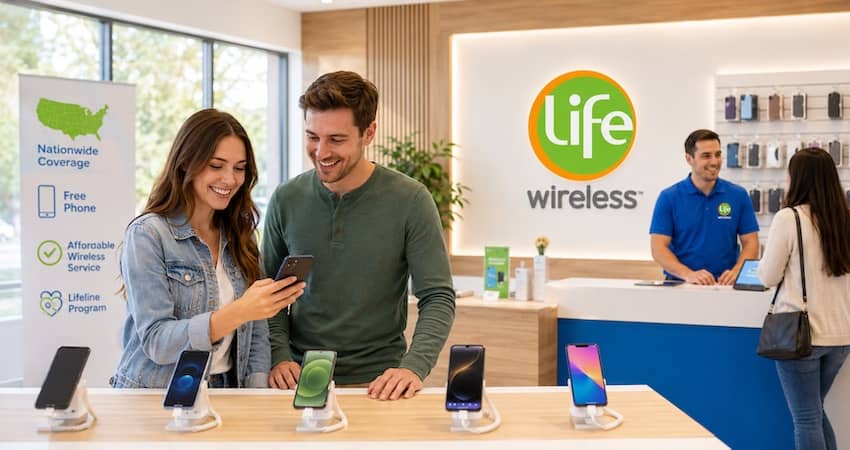
Bring your own phone. Already love your phone? You can keep it, as long as it’s compatible and unlocked. You can also keep your current number when you switch – no need to tell everyone you’ve got a new one.
A quick, honest note on iPhones: free iPhones are rare with any Lifeline provider. When Life Wireless offers iPhones, they’re usually discounted certified pre-owned upgrades, not free devices. If a free iPhone is your goal, read our guide on which providers offer free iPhone before you decide.
The real cost most people miss
Here’s where I want to be straight with you, because this is exactly the kind of thing scam-alert readers should watch for – even with a legitimate company.
The monthly service is free. There’s no monthly bill, no credit check, and no contract. But the state plan pages list a one-time, non-refundable $50 fee for a physical SIM card or eSIM. That’s a real upfront cost, and it’s easy to miss if you only read the homepage, which highlights the free service.
Fees can change and can differ by state or promotion, so don’t take my number as final. Before you enroll, ask the rep or check your state’s plan page for the current one-time cost. A legitimate provider will give you a clear answer. If anyone dodges the question or pressures you to pay in an odd way (gift cards, cash apps to a personal account), walk away – that’s a red flag no matter whose name is on the sign.
Who qualifies for Life Wireless?
Lifeline eligibility is set by the federal government, not by Life Wireless. You qualify in one of two ways: by the program you’re in, or by your income.
You qualify if you take part in any of these programs:
- Supplemental Nutrition Assistance Program (SNAP, or food stamps)
- Medicaid
- Supplemental Security Income (SSI)
- Federal Public Housing Assistance (Section 8 / FPHA)
- Veterans Pension or Survivors Benefit
- Certain Tribal programs (such as Tribal TANF, FDPIR, and Bureau of Indian Affairs General Assistance)
Or you qualify by income if your household income is at or below 135% of the Federal Poverty Guidelines. Here are the current income limits Life Wireless lists:
| Household size | Yearly income limit (135% FPG) |
|---|---|
| 1 | $21,546 |
| 2 | $29,214 |
| 3 | $36,882 |
| 4 | $44,550 |
| 5 | $52,218 |
| 6 | $59,886 |
| 7 | $67,554 |
| 8 | $75,222 |
| Each extra person | Add $7,668 |
One rule trips people up, so remember it: Lifeline is one benefit per household, not per person. Only one free Lifeline phone or internet discount is allowed for everyone living together and sharing money.
There’s also a lesser-known path worth mentioning. Under the Safe Connections Act, survivors of domestic violence who are facing financial hardship may qualify for emergency Lifeline support, even if they’re separating their finances from an abuser. If that’s your situation, help is there. You can learn more about the full list of qualifying programs in our Lifeline eligibility guide.
How to apply for Life Wireless
The process is straightforward. Here’s how it works, step by step.
- Check your coverage and your state’s plan. Enter your ZIP on the Life Wireless coverage map, and open your state’s plan page to see the data amount and any one-time fee.
- Start your application on the Life Wireless enrollment page, or ask an in-person rep if you see a sign-up table near you.
- Prove you qualify through the National Verifier – the government system that confirms Lifeline eligibility. You may need documents like a benefit award letter, a photo ID, or proof of income. (A photo of an EBT card usually isn’t enough on its own; they typically want the official award letter.)
- Choose your phone — get a free smartphone or bring your own compatible device.
- Activate and go. Once you’re approved and your SIM arrives, you activate the service and you’re connected.
If your application gets denied, don’t panic and don’t give up – most denials come from small paperwork problems that are easy to fix. Our guide on what to do if your Lifeline application is denied walks through the common reasons and how to reapply the right way. For the full walkthrough on any provider, see our how to apply for Lifeline guide.
How to keep your service active
This is the rule people forget, and forgetting it can cost you your free phone.
To keep your benefit, you must use your Life Wireless service at least once every 30 days. That can be as simple as making a call, sending a text, buying extra data, answering an incoming call, or responding to a message from Life Wireless. If you go quiet for too long, the government requires the provider to remove the benefit. Set a monthly reminder if you’re a light user – one quick text keeps you covered.
How to contact Life Wireless
Good support matters more than most people realize, so it’s worth knowing how to reach a real person.
- From your Life Wireless phone: dial 611
- From any phone: call (888) 543-3620
- Hours: Monday through Friday, 9:00 AM to 6:00 PM ET (closed weekends)
- Online: use the contact form on the Life Wireless website
- App: the Life Wireless app (from Telrite) lets you check usage, buy add-ons, and manage your account
Their customer service center is based in the United States, which many customers appreciate when they need help fast.
Pros and cons of Life Wireless
Pros
- Runs on AT&T’s nationwide 5G/LTE network — a strong option if AT&T is good in your area
- Unlimited talk and text on every plan
- Available in 40+ states plus Puerto Rico and the U.S. Virgin Islands — one of the most widely available Lifeline providers
- Decent data in many states (10 GB in California, for example)
- Free smartphone or bring your own, and you can keep your number
- Legitimate, long-running provider (Telrite), so your service isn’t going to vanish overnight
- U.S.-based customer service and a working account app
Cons
- A one-time SIM/eSIM fee (listed at $50 on state plan pages) — a real upfront cost to plan for
- Data amount varies by state and is on the lower side in some places
- Weekend support is closed
- No good if AT&T coverage is weak where you live
- Free phones are basic Android models; free iPhones aren’t part of the standard offer
Is Life Wireless the best choice for you?
Here’s my honest take after looking closely.
Life Wireless is a great fit if AT&T has strong signal where you live, you want reliable unlimited talk and text, and you’re okay with a one-time SIM fee to get started. It’s also a smart pick if you move around a lot or live in a state where fewer providers operate, since its coverage is so wide.
Look elsewhere if AT&T is weak in your area, or you need the most data possible for the lowest upfront cost. In those cases, a Verizon-based provider (better for rural areas) or a T-Mobile-based one with a higher data cap might serve you better.
The good news is you’re not locked in. If you try Life Wireless and it’s not the right fit, you can move your benefit to another company. See our guide on how to switch Lifeline providers, and compare your options in our roundup of the best Lifeline providers for 2026.
Frequently asked questions
Yes. Life Wireless is a real Lifeline provider run by Telrite Corporation, an FCC-authorized carrier. It’s not a scam site. You can confirm it, and any Lifeline company, in the official USAC provider database.
The monthly service is free for people who qualify – no monthly bill, no credit check, no contract. But their state plan pages list a one-time, non-refundable SIM/eSIM fee (currently $50). Always confirm the current upfront cost for your state before you enroll.
AT&T’s nationwide network, including 5G and 4G LTE where available.
Yes, if your phone is compatible and unlocked. You can also keep your current phone number when you switch.
Not as a standard free device. When iPhones are offered, they’re usually discounted certified pre-owned upgrades. Free phones are typically basic Android models.
It depends on your state. For example, Texas plans list 4.5 GB and California plans list 10 GB. Check your state’s plan page for the exact amount.
After you’re approved through the National Verifier, your phone or SIM usually ships within a few business days.
Use your service at least once every 30 days – a call, a text, a data purchase, or a reply to Life Wireless all count.
Life Wireless is a service of Telrite Corporation and is supported by the federal Lifeline program. Lifeline is a government benefit limited to one per household and is non-transferable. Plans, data amounts, and fees vary by state and can change without notice, so always confirm the current details for your state before you enroll. Eligibility is determined by the National Verifier and documentation may be required.