
Losing your phone, or watching it stop working, is stressful, especially when that phone is how the clinic calls you back, how your child’s school reaches you, and how a hiring manager returns your call.
If your SafeLink Wireless phone is lost, stolen, broken, or simply will not turn on, you can get back online. But I want to be straight with you from the first line, because most guides are not: the path is not always the free replacement people expect, and the very first step matters more than the rest.
The 60-second answer:
SafeLink no longer mails free replacement phones as a matter of course. When you ask them about a lost, stolen, or damaged phone, their standard answer is a discounted upgrade from their store. But your fastest and cheapest fix is usually free: move your working SafeLink SIM card into another compatible phone you already have. If the SIM is gone too, SafeLink will mail you a new one at no cost. Call 1-800-378-1684 – technical support, open 7 days a week. And do not report the phone lost or stolen until you have truly finished looking for it.
First, name your exact situation
“I need a replacement” covers several very different problems, and SafeLink treats each one differently. Your whole path depends on which of these fits.
- Broken but the SIM survived: the phone is dead or cracked, but the little SIM card inside is fine. This is the easiest and cheapest to fix.
- Defective phone: a hardware or software fault that is not your fault — dead pixels, a camera that will not work, buttons that fail, or a phone that quits with no drop or spill. This may be covered by warranty, but only if you bought the phone from SafeLink’s store.
- Damaged in shipping: your new or replacement phone arrived already broken. This has a strict 48-hour claim window, so act the day it lands.
- Physical or liquid damage: you dropped it, the screen cracked, or it got wet. This is not covered by warranty.
- Lost or stolen: the phone is gone. This is not a warranty case, and the missing device usually cannot be reused.
Once you know which one you have, the right answer below is quick.
Before you call and report it lost, read this. Once a phone is reported lost or stolen, it is switched off for good. SafeLink’s own rules state that devices reported lost or stolen are not eligible for their bring-your-own-phone program. That block does not lift when you find the phone in your coat pocket the next morning. Look everywhere first. Call it from a friend’s phone. Check the car seats, the laundry, the couch. Report it only when you are certain.
Is your replacement free or paid? The honest answer
This is the question almost every reader has, so here is the plain truth.
A replacement is free in a few specific cases: a valid warranty claim on a phone you bought from SafeLink’s store, a free replacement SIM card, or a phone that stopped working because SafeLink moved you to a new network.
You will likely pay when the phone is lost, stolen, or physically damaged. Warranty does not cover accidents or loss, and SafeLink does not sell an insurance plan for these phones — so there is no claim payout the way car insurance works. In these cases their stated option is a discounted phone from their store, or you buy one elsewhere.
Costs vary by device, your state, and current stock. Because prices and any fees change, always ask SafeLink for the exact cost before you agree to anything. Do not trust a number you read on a random website.
The single most common frustration here is not the cost — it is the surprise. People expect a free phone and feel blindsided by a fee, or they sit at home waiting for a package that was never coming. Knowing the rule ahead of time, free for a true defect and paid for an accident, removes that shock and lets you plan the right move today.
Your benefit has a clock running on it
This is the part almost nobody tells you, and it is the one that costs people the most.
Lifeline is a use-it-or-lose-it benefit. Under federal rules, if your line goes 30 days without qualifying use, your provider must give you a 15-day warning window. If you still have not used the service by the end of that window, you are removed from the program.
So a dead phone is not only an inconvenience. It is a countdown. If you sit on the problem for six or seven weeks, you may find that your benefit is gone entirely and you have to apply for Lifeline from scratch.
What this means for you: get any working phone onto your line within a couple of weeks, even a basic one. It does not have to be the phone you want long term – it just has to keep your line alive while you sort out the rest. If your service has already stopped, read our guide on reactivating a SafeLink phone first, because it explains the difference between a paused line and a closed account.
The Fastest Free Fix: Move your SIM into another phone
This is the option people skip, and it is the best one.
Your Lifeline benefit does not live in the handset. It lives on your SIM card and in your account. If the phone is cracked, waterlogged, or simply will not turn on, but the SIM card inside survived, you can move that SIM into almost any other compatible unlocked phone and be back in service in about ten minutes.
SafeLink puts it plainly: phones from nearly every manufacturer work on their network as long as they use a SIM card, and you need a compatible or unlocked phone to take part in the Keep Your Own Smartphone plan.
How to do it
- Get the SIM out. On most phones it sits in a small tray on the side. Push a paperclip or the pin from the box into the tiny hole to pop it out. On older phones it may be under the back cover, near the battery.
- Find a phone to put it in. An old phone in a drawer, a relative’s spare, or a cheap unlocked phone from a local shop. It must be unlocked, and it must support HD Voice, also called VoLTE — most phones from about 2018 onward do.
- Match the SIM size. Most modern phones use a nano SIM. If your SIM is a different size, the new phone’s tray will show you. Never force a SIM into a slot it does not fit.
- Turn it on and test a call. If calls work but the internet does not, that is a settings issue, not a broken phone.
If your data does not come back after the swap, that is usually the network settings needing a nudge rather than a hardware fault. Our bring your own phone guide walks through the compatibility checks in detail.
Make a warranty claim (only for phones you bought)
Here is a detail that trips up almost every article on this subject.
The “one-year SafeLink warranty” everyone quotes belongs to shop.safelinkwireless.com. That store is independently operated by Quality One Wireless as a SafeLink Authorized E-Retailer. The warranty covers phones you purchased from that store. It is not a blanket warranty on the free handset SafeLink shipped you when you enrolled.
Transparency note: when you request an RMA or a refund, the retailer’s name “Quality One Wireless” will appear on your emails and packaging. This is normal and legitimate. It just helps to know who is handling your return so you are not thrown when a different company’s name shows up.
If you did buy your phone there, the terms are specific and worth knowing.
| Item | What the policy says |
|---|---|
| New phones | One-year manufacturer warranty from the original date of sale |
| Refurbished phones | 60-day warranty from the original date of sale |
| Arrived damaged | Claim within 48 hours of delivery — later claims are not accepted |
| Changed your mind | 7 days, like-new, under 25 minutes of talk time, 20% restocking fee plus shipping |
| Covered faults | Defects in materials or workmanship — software problems, camera defects, unresponsive keys, dead pixels |
| Not covered | Fading battery life, scratches, accidental damage, coverage complaints, third-party app problems |
| Voids the warranty | Rooting or modifying the phone, liquid damage, a cracked screen, a damaged housing |
Read that “not covered” row twice. A cracked screen is not a warranty claim. Neither is a phone that got wet. The warranty covers faults the phone was born with, not accidents that happened to it — and that is the rule most guides skip, the one that catches people off guard even when their phone is only a month old.
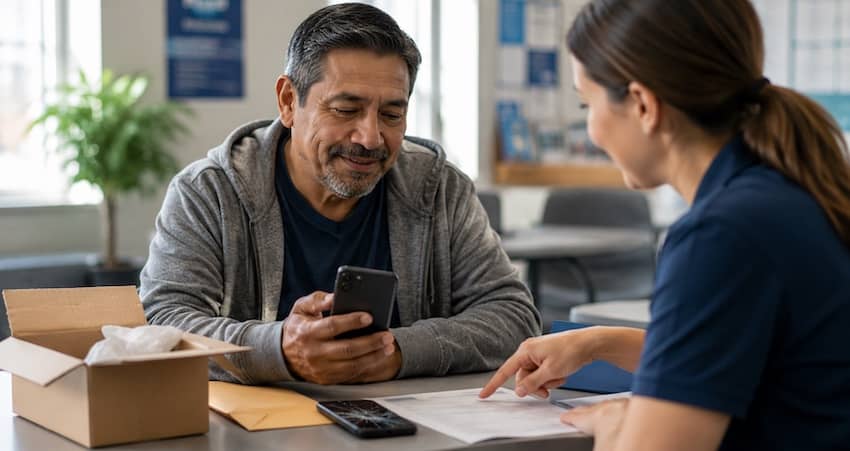
If you do have a valid claim
- Sign in to your order history on the store site and open a return request on that order.
- Add as much detail about the fault as you can — more detail means faster processing.
- You should get an RMA number by email within about 24 business hours.
- Remove your passcode and do a full factory reset before you ship it. If you skip this, the claim stalls, and if they do not hear back within two business days they send the phone straight back to you.
- Put every accessory in the box. Missing parts are billed — $10 for a battery, $7 for a charger, $3 for a USB cable, $5 for an SD card, $3 for the manual.
- Write the RMA number on the package and include a copy of your RMA request and order number.
- You will hear the decision within about five business days of them receiving it. Refunds can take up to 15 business days to post.
Return shipping is on you. Budget for it before you commit.
What to do if your phone is lost or stolen
A lost or stolen phone is urgent for two reasons: you need service back, and you need to protect your account before a stranger runs through your minutes or reads your messages.
- Try to locate it first. Call your number from another phone, or use a phone-finding feature if you set one up. Sometimes a “lost” phone is just under a couch cushion — and this matters here more than usual, because the next step cannot be undone.
- Report it to SafeLink. Call 1-800-378-1684 or 1-800-SafeLink (1-800-723-3546) and report the loss or theft. Have your phone number ready, and the serial number if you kept the box or activation card.
- Ask about your replacement options. The missing device usually cannot be reactivated, so you will need a different phone. SafeLink’s stated option is a discounted upgrade — but ask about your minutes and data anyway, since some agents can protect part of your current balance, and ask to keep your phone number rather than assuming it stays.
- File a police report if it was stolen. This protects you and creates a record.
I once talked to a man who reported his phone stolen on a Tuesday, found it wedged behind a car seat on Thursday, and could not get it working again no matter who he called. Nobody had told him the block was permanent. That one sentence would have saved him a $60 phone.
Bring your own phone as a replacement
If you do not want to wait for a SafeLink device, you may be able to use a old phone you already own. This is the Bring Your Own Phone program, and it can be the quickest route of all.
To qualify, your phone generally must be unlocked and compatible with the SafeLink network. SafeLink runs on the TracFone network, now part of Verizon, so compatibility matters — a T-Mobile-compatible or other unlocked GSM phone is commonly accepted, but check your specific device.
Two limits apply, and one of them is critical:
- A phone still tied to an active account with another carrier will not work until it is fully released. If it shows “Restricted” or “Contact Service Provider,” it is likely still locked, and your old carrier has to unlock it.
- A phone reported lost or stolen is not eligible, full stop. You cannot bring a flagged device onto the program, which is the whole reason to search carefully before reporting your own phone lost.
Before you buy any used phone, spend three minutes on this
A cheap used phone is a sensible way out of this. It is also where people lose money they could not afford to lose. Run these checks before you hand anyone cash.
- Get the IMEI. On the phone, open the dialer and type *#06#. A long number appears — that is the phone’s fingerprint. If a seller will not let you do this, walk away.
- Confirm it was never reported lost or stolen. SafeLink will not activate a blocked device. The best move: call 1-800-378-1684, read them the IMEI, and ask whether it can go on your account — before you pay. A five-minute call beats a dead phone and a seller who has stopped answering.
- Check whether it is locked. This got harder in 2026. After the FCC granted Verizon a waiver in January 2026, TracFone-family brands including SafeLink moved to a 365-day lock on new activations, up from 60 days, and the unlock is no longer automatic — you have to request it. Phones activated before January 20, 2026 stay on the old 60-day terms. In plain terms, a recent SafeLink, Straight Talk, Total Wireless, or Tracfone phone bought secondhand can be stuck on that network for a full year, so favour one sold as factory unlocked or already in service well over a year.
- Check it supports HD Voice. Old 3G and early 4G phones cannot make calls on today’s network — not even 911. If the phone is more than about eight years old, assume it will not work.
What this will actually cost you
| Route | Cost | How fast |
|---|---|---|
| SIM into a phone you already have | Free | Same day |
| Replacement SIM by mail | Free | A few days to two weeks |
| Warranty claim on a purchased phone | Free, minus return shipping | Two to three weeks |
| Discounted upgrade from SafeLink | Varies by model and stock | Shipping time |
| Used phone bought locally | Usually $30–$80 | Same day |
| Switching to a provider that ships a phone | Free | One to three weeks |
Return conditions, if you are sending a phone back
If you are returning a phone for warranty or refund, SafeLink’s store has clear conditions. Miss them and you could face fees or a denied claim.
- The phone must be in like-new condition with no signs of use.
- It must show less than 25 minutes of total talk time.
- Include the original packaging, all accessories, chargers, cables, manuals, and documentation.
- For a non-defective return, you have 7 days from delivery to send it back.
Watch the fees. A non-defective refund carries a restocking fee of 20% to 50% depending on condition and how complete the return is, plus a $10 shipping and handling fee, and original shipping is not refundable. Read the terms before you send anything.
How long does a replacement take to arrive?
Once your replacement is approved and processed, shipment often starts within a few business days, and most phones arrive within about 10 business days after that, depending on your address.
Delays happen. Stock shortages, address problems, identity-verification holds, and busy periods can all slow things down. If your phone has not arrived in the expected window, call SafeLink and ask for a tracking update. And remember the 30-day usage rule while you wait — if you will be without a phone for a long stretch, ask the agent how to protect your number and benefit during the gap.
Activating your replacement phone
Once your new phone or SIM arrives, this part is quick.
Text the word ONESTEP to 611611 from your old phone, if it still powers on. SafeLink’s instructions say you will be asked for the last four digits of your new serial number or new SIM number, then sent a confirmation with steps to finish activating. Activating the new SIM automatically carries your phone number and remaining benefits across.
If the old phone is gone, call 1-800-378-1684 with the new phone’s IMEI and the new SIM number in front of you.
If activation fails, do not panic: restart the phone, confirm the SIM is seated correctly, and make sure you have signal. If it still will not go, support can push the activation from their end. Two shortcuts worth saving: text SWITCH to 611611 to see what SafeLink needs to move a number over, and text REACT to 611611 if your service is off and you are trying to bring it back. Our activation guide covers the full sequence.
Do not forget your voicemail. Switching SIMs resets it. Save any message you need to keep before you make the swap, because old messages do not survive the move.
Keeping your phone number
Most people want to keep the number they already have, and in most cases you can.
If you are moving to a replacement device, ask SafeLink to transfer your number and benefits to the new phone, and confirm it before your old service ends. If you are bringing a number in from another carrier, you can port it: receive your SafeLink SIM, then call 1-800-378-1684 and tell the representative you want to port in your number. Keep your old account details handy, because porting needs information from your previous carrier, and the number you are porting must still be active there.
If your phone died after a “network change” notice
This is a separate problem with a better outcome, so check it before you spend anything.
SafeLink has been moving customers onto Verizon’s network, and older handsets that cannot handle the current network standard simply stop working — SafeLink warned affected customers that once the old network shut down they would not be able to make or receive calls, including 911 calls. If that is what happened to you, this is the company’s own transition, not your fault, and there are usually free or heavily discounted upgrade offers attached to it.
Call the migration line at 1-866-667-6437 and use that word — migration. It routes you to people who handle exactly this. California readers have extra leverage: as a condition of approving Verizon’s purchase of TracFone, state regulators required that all California TracFone customers be moved to the Verizon network, that Verizon stay in the Lifeline program for 20 years, and that 5G devices be offered to these customers at no cost. If you are in California and your phone was made obsolete by the change, say so on the call. Our California Lifeline guide has more.
Watch out for replacement phone scams
People in a hurry to get reconnected are exactly who these scams are built for. Protect yourself.
- Use official channels only. The support number is 1-800-378-1684, and the official sites are SafeLink Wireless and its authorized shop. Do not trust random links from texts or ads promising a “free SafeLink upgrade.”
- Never pay with gift cards, wire transfers, or cash apps. No legitimate replacement uses those.
- Do not share your full Social Security number or banking details with an unverified caller or site. SafeLink may verify your identity, but confirm you are dealing with the real company first.
- Be wary of “too good to be true” offers. A free brand-new flagship phone with no eligibility check is a red flag, and so is a street table asking you to sign twice — a second signature is often a provider transfer you did not intend.
If something feels off, hang up and call the official number directly. Our guides on spotting a Lifeline scam and verifying that a provider is legitimate show you how in a couple of minutes.
How to reach a real person
| What you need | Number | Hours (Eastern) |
|---|---|---|
| Technical support, lost/stolen reports, SIM requests, activation | 1-800-378-1684 | 7 days a week, 8 a.m. to midnight |
| Enrollment and plan changes | 1-800-SafeLink (1-800-723-3546) | Mon–Sat 8 a.m.–10 p.m., Sun 8 a.m.–7 p.m. |
| Phone stopped working after a network change | 1-866-667-6437 | Migration assistance |
| Quick self-service | Text ONESTEP, SWITCH, or REACT to 611611 | Anytime |
Two practical tips. Call early in the day, when hold times are shortest. And write down the date, the time, and the agent’s name every single time — if the first answer is wrong, that record is what gets a second agent to fix it.
While you are at it, confirm your account is otherwise in good standing. Missing your annual renewal will close your account just as surely as a broken phone will, so check our guide to Lifeline recertification.
Frequently Asked Questions
Often it will be a refurbished, comparable model rather than a brand-new device, especially for warranty and lost-or-stolen replacements. SafeLink replaces phones with an equivalent model at its discretion, subject to stock.
Not as a general policy. Their standard answer to a lost, stolen, or damaged phone is a discounted upgrade from their store. Free replacements exist in narrow cases: a valid warranty claim on a phone you bought from their store, a free replacement SIM, or an upgrade tied to a network change that made your old phone obsolete.
No. Reported devices are blocked permanently and cannot be activated on SafeLink again, which is exactly why it is worth searching thoroughly before you make that call.
No. Physical damage voids the warranty, and cracked screens and liquid damage are named specifically. Accidental damage is not covered by any route.
Almost any unlocked phone that uses a SIM card and supports HD Voice. It cannot be locked to another carrier, cannot be reported lost or stolen, and cannot be tied to another active account.
Ordered phones and SIM cards usually arrive within a few days to about two weeks. Warranty claims take longer, because the phone has to travel to their facility, be inspected, and travel back.
Yes, in most cases. Ask SafeLink to transfer your number to the new device and confirm it before your old service ends. If you switch to a different provider, your number can move with you as long as the line has not already closed.
SafeLink Wireless is a service of Verizon Value, Inc., a Verizon company, and it remains an approved Lifeline provider. You can confirm any provider’s status yourself at lifelinesupport.org using the Companies Near Me tool.
This article is for general guidance and is not an official SafeLink Wireless document. SafeLink Wireless, TracFone, and Verizon set the official policies, fees, and eligibility rules, and these can change. Provider policies, phone numbers, and device offers change without notice – always confirm current terms with SafeLink directly before you send a phone back or pay for anything. Verify any provider’s Lifeline status at lifelinesupport.org.