
You picked up your phone, tried to make a call, and nothing happened. Maybe you heard a recording. Maybe you got a text saying your service ended. Either way, the phone you count on has gone quiet, and you want it back on today.
Here is the good news: most SafeLink phones can be turned back on, and some can be fixed in about five minutes without talking to anyone. But there is one thing you need to know first, and it is the reason so many people spend weeks on hold and get nowhere.
The short version: “Reactivating” is not one problem with one fix. SafeLink service stops for five different reasons, and each one has a different solution. If you use the wrong fix, nothing will work no matter how many times you call. Find your reason first. It takes two minutes and saves days.
First: find out why your service stopped
Before you dial anyone, match what you are seeing to the table below. This one step decides everything that follows.
| What you noticed | What it usually means | Where to go on this page |
|---|---|---|
| You had not used the phone in about a month. No warning that you remember. | Suspended for non-usage — the most common cause by far | Reason 1 |
| You got letters, texts, or emails about “renewing” or “recertifying,” and you did not finish them | You were de-enrolled from Lifeline — not just switched off | Reason 2 |
| SafeLink mailed you a new SIM card or a new phone and told you to switch | The Verizon network move — your old SIM stopped working | Reason 3 |
| You applied somewhere else, or someone signed you up without asking | Your Lifeline benefit moved to a different company | Reason 4 |
| You reported the phone lost or stolen, then found it | A hold you asked for | Reason 5 |
Not sure which one fits? Check your text messages and your mail from the last three months, including anything you set aside. SafeLink and the government both send warnings before service ends. That warning tells you exactly which of the five you are dealing with.
Try this first: it takes about five minutes
SafeLink has a text-message service at 611611 that handles a lot of account tasks without a phone call. It has a code made just for this.
From your SafeLink phone, text the word REACT to 611611 and follow the replies. SafeLink lists this on its own support site as the way to reactivate your phone’s service. If your phone can still send a text, start here before you call anyone.
Two things to know. First, this works best for a phone that was simply switched off for non-usage. It cannot fix an eligibility problem. Second, if your phone cannot send texts at all, skip ahead and use the phone numbers further down this page from a friend’s phone or a library phone.
Here are the other 611611 codes worth saving, because they solve the problems people call about most:
| Text this word to 611611 | What it does |
|---|---|
| REACT | Reactivate your service |
| ACTIVATE | Activate a phone for the first time |
| ONESTEP | Finish moving to a new Verizon-ready phone or SIM |
| SWITCH | See what you need to bring your number to SafeLink |
| VOICEMAIL | Set up or reset your voicemail password |
| HOTSPOT | Check hotspot usage |
Reason 1: Your service stopped because you did not use the phone
This is the big one. And it surprises people, because nobody expects a free phone to have a rule about using it.
Here is the rule, in plain words. If you pay nothing each month for your Lifeline service, federal rules say you have to use the phone at least once every 30 days. If 30 days pass with no use, your provider must send you a notice giving you 15 more days to use it. If you still do not use it, your service is turned off. So you have about 45 days total from your last use.
This is a federal rule from the FCC, not something SafeLink made up. Every Lifeline company in the country has to follow it.
What actually counts as “using” your phone
This is where good people lose their benefit by accident. The rules are specific. Any one of these counts:
- Making a call to someone
- Using your data
- Sending a text message
- Answering a call from a real person
- Buying extra minutes or data to add to your plan
- Answering when SafeLink contacts you and telling them you want to keep your service
Two traps that catch a lot of people.
1. Answering a call counts – but not if the call came from SafeLink or one of their representatives. Only calls from other people count.
2. Receiving a text does not count. You have to send one. A phone that only sits and receives messages all month can still be switched off.
How to turn it back on
- Text REACT to 611611 from the phone, if it can still send texts.
- If that does not work, call SafeLink at 1-800-378-1684 from another phone. Say clearly: “My service was turned off for non-usage and I want it reactivated.”
- Have your information ready (there is a checklist further down). They will confirm who you are.
- When the representative tells you to power the phone on, do it then — not before. Turning it on at the right moment helps the service load correctly.
- Make one real call right away to lock in your usage for the month.
The messages we get about this almost always sound the same: someone kept the phone in a drawer for emergencies, used it maybe twice all year, and could not understand why a phone they barely touched got switched off. The rule feels backwards, and honestly it is worth knowing about before it happens rather than after.
Reason 2: You were de-enrolled — and this is the one people get stuck on
Once a year, everyone on Lifeline has to prove they still qualify. This is called recertification, or renewal. You usually get a notice about 90 days before your anniversary date, and you get 60 days to respond. Miss that window and you are removed from the program.
Read this part carefully, because it saves weeks. If you were de-enrolled for missing your renewal, SafeLink cannot simply switch you back on. Your benefit is gone from the government’s system. Calling SafeLink over and over will not change that, and it is why so many people feel like they are getting the runaround. You have to apply again. The good news is that reapplying is usually straightforward, and if you still qualify you can be back on service fairly quickly.
How to get back on
You are not starting over as a stranger. You are just proving you still qualify. Pick whichever way is easiest for you:
- Online through the National Verifier, the federal system that decides Lifeline eligibility. This is the fastest route. Documents uploaded online are often reviewed the same day.
- By phone — call the Lifeline Support Center at 1-800-234-9473, open 7 days a week, 9 a.m. to 9 p.m. Eastern. Press 1 for English, 2 for Spanish. They can mail you a paper form.
- By mail — send your completed form and proof to the Lifeline Support Center, P.O. Box 7081, London, KY 40742. This works, but it is the slowest option.
- Through SafeLink directly — they can walk you through the application as your chosen provider.
One detail that trips people up: any document you send as proof must be dated within the last 12 months. An old benefit letter from two years ago will get rejected, and you will not find out for days. Our full walkthrough is here: how to apply for Lifeline step by step, and if you want to confirm you still qualify before you start, check the current eligibility rules and income limits.
If you apply and get turned down, do not give up – most denials come from small fixable mistakes like a name that does not match your ID. Our guide on what to do when a Lifeline application is denied covers how to fix each one.
If you live in Texas or Oregon
These two states do not use the National Verifier. You apply and renew through your own state’s process instead. Texas readers can start with our Texas Lifeline guide.
If you live in California — this changed in 2026
California residents, this is new and it matters. As of February 1, 2026, California LifeLine (the state program) and federal Lifeline are two separate applications and two separate renewals. They used to be one. If you renewed only the state side, your federal benefit can end while your state benefit continues – which can make your service change or stop even though you thought you renewed everything.
If your SafeLink service acted strangely after a renewal, this is very likely why. Renew both, and you can still receive the full combined discount of up to $28.25 a month. More detail in our California Lifeline guide.
Want to avoid this whole situation next year? Our annual recertification guide explains exactly what the notice looks like, when it arrives, and how to finish it in one sitting.
Reason 3: The Verizon network move
SafeLink is run by TracFone Wireless, which is now part of Verizon. Because of that, SafeLink has been moving customers onto Verizon’s network. If you were on a different network before, your old SIM card simply will not work on Verizon.
If SafeLink mailed you a new SIM card or a free Verizon-compatible phone and you never finished the switch, your phone going dead is expected – not a mistake.
How to finish the switch
- Put the new SIM card in your new phone. Do not put your old SIM back in. The old one cannot connect to Verizon.
- Text ONESTEP to 611611 from your old phone to complete the upgrade.
- Need help? Call 866-667-6437. California residents call 888-899-8789.
One warning worth reading twice. SafeLink’s own terms say that once you accept the upgrade and your old device is switched off, that old phone cannot be used for SafeLink service again. So if you are trying to bring an old handset back to life, that may not be possible – the fix is to activate the new phone or SIM instead. Your phone number, your plan, and your service end date carry over.
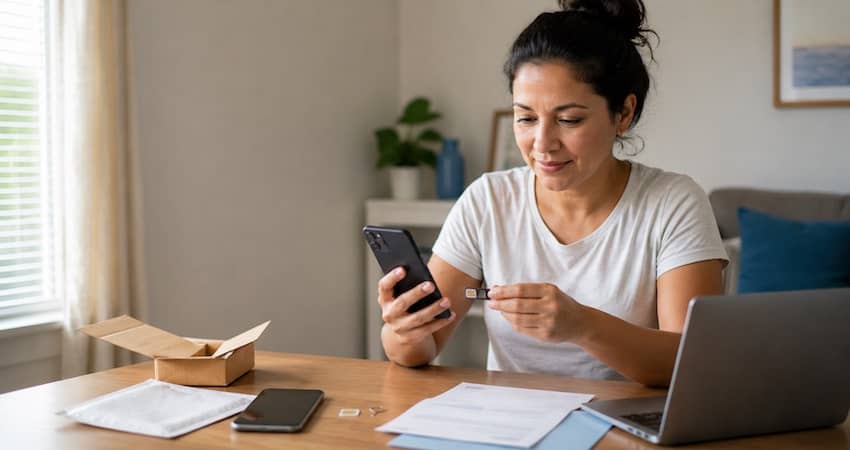
If you would rather use a phone you already own instead of the one they sent, read our bring your own phone guide first to check that it will work on Verizon’s network.
Reason 4: Your benefit moved to another company
You only get one Lifeline benefit, and only one company can hold it at a time. The moment another provider takes over your benefit, SafeLink service ends. Sometimes people do this on purpose. Sometimes they signed up at a table outside a store without realizing it would end their current service.
And sometimes it happens without permission at all. If you never agreed to switch companies, that is a serious problem and there is a specific place to report it:
- Call USAC at 1-800-234-9473 or email LifelineSupport@usac.org
- Report it to the FCC Lifeline Fraud Tip Line at 1-855-455-8477 or Lifelinetips@fcc.gov
If you moved on purpose and now want to come back to SafeLink, you can transfer your benefit back. You are allowed one transfer per month. Our guide to switching Lifeline providers walks through it, and this guide explains how to keep your phone number when you move.
Before you sign up with anyone standing at a folding table, take thirty seconds to check that the company is a real, approved Lifeline provider.
Reason 5: You reported it lost or stolen
This one is the easiest. If you asked SafeLink to suspend the line and then found the phone, call 1-800-378-1684, confirm your identity, and ask them to lift the suspension. If the phone is truly gone for good, ask about a replacement instead – our guide on getting a SafeLink replacement phone covers what to expect.
Will you keep your same phone number?
This is the question we get asked most, so here is an honest answer rather than a confident one.
The widely repeated guidance is that if your line has been off for less than about 60 days, you can usually keep your number, and after that it may be released and you will be given a new one. That figure shows up across help sites and has been the practical experience of many customers for years.
But we could not find that 60-day window stated as a firm rule on SafeLink’s own website, so treat it as a general guide rather than a promise. The practical takeaway is the same either way: act quickly. The sooner you call, the better your chances. Do not wait a month to make the call because you assume you have time.
If your number matters to you – because it is on job applications, on your kids’ school forms, or with your doctor’s office – say so at the very start of the call. Ask directly whether your number is still available before you agree to anything.
Have this ready before you call
Calls go much faster when you have everything in front of you. Write these down on paper first:
- Your full legal name, exactly as it appears on your ID
- Your SafeLink phone number
- Your enrollment ID, if you have it
- The last four digits of your Social Security number
- Your date of birth
- Your current home address — and mention it if you have moved
- Any notice, text, or letter SafeLink or USAC sent you, and its date
A small thing that helps more than it should: write down the date, the time, and the name of the person you speak with. If you have to call back, being able to say “I spoke with someone on Tuesday about this” changes how the second call goes.
How to reach a real person at SafeLink
| What you need | How to reach them | When |
|---|---|---|
| Technical support and reactivation | 1-800-378-1684 | 7 days a week, 8 a.m. to midnight ET |
| Enrollment and plan changes | 1-800-SafeLink (1-800-723-3546) | Mon–Sat 8 a.m.–10 p.m. ET, Sun 8 a.m.–7 p.m. ET |
| Finishing the Verizon network switch | 866-667-6437 · California: 888-899-8789 | See SafeLink’s upgrade page |
| Self-service by text | Text REACT to 611611 | Anytime |
| Live chat | support.safelinkwireless.com | Anytime |
| Eligibility, renewals, and de-enrollment (the government side) | 1-800-234-9473 · LifelineSupport@usac.org | 7 days a week, 9 a.m.–9 p.m. ET |
A practical tip: mid-week mornings tend to have shorter waits than Monday mornings or weekend afternoons. And if your only working phone is the dead one, most public libraries will let you use a phone or a computer to reach the chat service.
If your phone turns back on but data does not work
This happens often after a reactivation or a SIM change. Calls and texts come back, but the internet does not. Usually the phone just needs its network settings refreshed.
Restart the phone first – that alone fixes it more often than people expect. If data is still dead, the settings that control it are called APN settings. Because SafeLink sits in the same TracFone family, the same general approach applies as in our APN settings walkthrough. If that does not do it, call technical support and ask them to re-provision your line.
Watch out for these scams
People whose phones have just been shut off are targets, because they are worried and in a hurry. A few rules that will keep you safe:
- Nobody legitimate charges you a fee to reactivate Lifeline service. Reactivation is free. If a website or a person asks for payment to “restore your benefit,” walk away.
- Only use SafeLink’s own phone numbers and website. Search results are full of copycat sites with official-looking logos.
- Never send your full Social Security number by email or text. Real support only ever needs the last four digits.
- Be careful with sign-up tables at stores and events. Signing a form there can transfer your benefit away from SafeLink without you meaning to.
We keep a full list of current tricks in our Lifeline scam warning guide.
What if SafeLink cannot bring you back?
Sometimes the answer is no. Maybe SafeLink no longer serves your area well, maybe your old phone cannot be revived, or maybe you are simply tired of the process. That is not the end of your benefit.
Your Lifeline benefit belongs to you, not to any one company. If you still qualify, you can take it to another provider. Compare your options in our Lifeline provider comparison, and if you want to stay on a strong network in a rural area, read our full SafeLink review alongside the alternatives before you decide.
Remember what the benefit actually is. Lifeline gives you a discount of up to $9.25 a month on phone or internet service, and up to $34.25 a month if you live on Tribal lands. The phone itself is something a provider chooses to give you on top of that – it is not the government benefit. Knowing this makes it much easier to spot a company that is overpromising. More on that in how much the Lifeline discount is worth.
How to keep this from happening again
Three habits protect your service, and none of them take real effort:
- Use the phone on the first of every month. Call someone. Send one text. Set a repeating reminder on the phone itself. That single habit prevents the most common shutoff there is.
- Keep your address and email current with SafeLink. Renewal notices go to the address on file. People who move and forget to update it are the ones who get de-enrolled without ever seeing the warning.
- Open the mail from USAC and SafeLink. It looks like junk. It is not. Renewal notices arrive months before your service would end, which means you have plenty of time – if you open the envelope.
One reader told us she now calls her sister every month on the first, just to say hello. She started doing it to keep her phone on. She kept doing it because it turned out to be the best part of the arrangement.
New to all of this, or helping a parent or neighbor sort it out? Start with what the Lifeline program is, then use our universal activation guide once the phone is back in hand.
Frequently Asked Questions
If your service stopped for non-usage, it is often the same day – sometimes within minutes of texting REACT to 611611 or finishing a call with support. If you were de-enrolled and have to apply again, allow several days to a couple of weeks, depending on whether your eligibility can be confirmed automatically or you need to upload documents.
Call SafeLink technical support at 1-800-378-1684, open seven days a week from 8 a.m. to midnight Eastern. For enrollment questions, call 1-800-SafeLink (1-800-723-3546). Some older articles still list 1-800-977-3768 – if that number does not connect you, use the two above, which appear on SafeLink’s current support pages.
There is no single “reactivate” button on the website, but you have two self-service options: text REACT to 611611 from your phone, or use the live chat on SafeLink’s support site. Both are faster than waiting on hold.
Lifeline service is free, so there is no payment to miss. Service almost always stops for one of five reasons: you did not use the phone for 30 days, you missed your annual renewal, you did not complete the switch to Verizon’s network, your benefit moved to another company, or you reported the phone lost or stolen.
Possibly, if you wait too long. The commonly cited window is around 60 days, though SafeLink does not publish that as a firm rule. Call as soon as you notice the problem and ask directly whether your number is still available.
Yes — but only calls from other people. Answering a call from SafeLink or one of their representatives does not count as usage under FCC rules. Receiving a text does not count either. Sending one does.
No, and this is the single most common source of frustration. De-enrollment removes your benefit from the federal system, and only a new application can restore it. If you still qualify, applying again is usually quick.
Usually not. But if SafeLink moved you to Verizon’s network and switched off your old device, that specific handset cannot be used for SafeLink service again. In that case you activate the new phone or SIM they sent instead, and your number and plan carry over.
Yes. SafeLink Wireless is operated by TracFone Wireless, Inc., a Verizon company, and remains an approved Lifeline provider. You can confirm any provider’s status yourself at lifelinesupport.org using the “Companies Near Me” tool.
This guide is for general information and is not affiliated with or endorsed by SafeLink Wireless, Verizon, the FCC, or USAC. Requirements can change and can vary by account, eligibility, device, and state. Always confirm current steps through official SafeLink and Lifeline channels.