
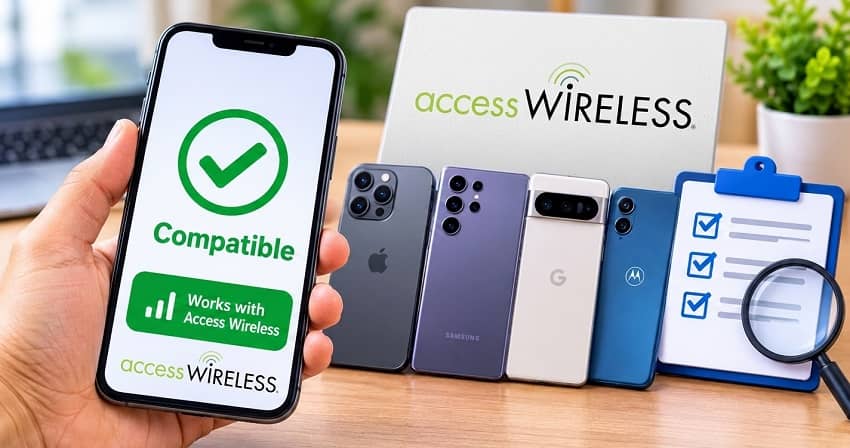
Most unlocked 4G LTE and 5G phones work with Access Wireless, as long as they work on the T-Mobile network. That includes many iPhones with a SIM card tray, plus most unlocked Samsung Galaxy, Google Pixel, and Motorola phones. To know for sure, run your phone’s IMEI number through Access Wireless’s free checker. It takes about a minute.
This guide explains what makes a phone compatible and walks you through the check step by step. It also lists phones that work and phones that don’t, and shows the safest places to buy one, including eBay.
Access Wireless is not the same company as Assurance Wireless, even though both use T-Mobile’s network.
Quick Answer: Access Wireless compatible phones (November 2026)
- Network: Access Wireless runs on T-Mobile. Its operator, i-wireless LLC, calls itself “an MVNO of T-Mobile” (a company that rents space on T-Mobile’s network) in a June 2026 FCC filing.
- Your phone must be: unlocked, 4G LTE or 5G capable (GSM type), able to make HD Voice (VoLTE) calls, paid off, and not reported lost or stolen.
- Free check: Enter your 15-digit IMEI on the Access Wireless Eligible Phones page. Dial *#06# to find it.
- SIM card: Access’s online shop listed a bring-your-own-phone SIM card for $2.99 in 2026. Access has not confirmed eSIM support.
- Usually won’t work: phones locked to another carrier, old 3G or Sprint-era phones, Jitterbug/Lively phones, and eSIM-only phones such as US iPhone 14 and newer models.
Which Network Does Access Wireless Use?
Access Wireless uses the T-Mobile network. Access Wireless is the Lifeline brand of i-wireless LLC. In its 2026 Lifeline report filed with the Utah Public Service Commission, i-wireless names T-Mobile as its underlying carrier. It also says it used Sprint before Sprint merged into T-Mobile.
So the question is: does my phone work on T-Mobile’s towers? Access’s own website just says “nationwide coverage,” which is why so many readers get confused.
For T-Mobile-based service, a phone generally needs:
- 4G LTE bands 2, 4, and 12 at minimum, plus 66 and 71 for the best coverage (T-Mobile-based carriers such as Tello list these same bands). For 5G, it needs n41 and n71.
- VoLTE (HD Voice). Access says its voice calls may be carried over VoLTE. A phone without VoLTE may get data but fail to make calls.
You don’t need to memorize band numbers. Most phones sold in the US since about 2019 have them, and the IMEI check below tests this for you. To compare other carriers on the same towers, see Lifeline providers that use the T-Mobile network.
What Makes a Phone Compatible with Access Wireless?
A phone is compatible with Access Wireless when it is unlocked, supports GSM 4G LTE or 5G, and meets Access’s account rules. Access says you can use “any unlocked LTE 4G/5G compatible device” with its SIM card.
- Unlocked. The phone is not tied to another carrier. If you didn’t buy it from Access Wireless, call the carrier you bought it from and ask.
- GSM LTE 4G or 5G. Not a 3G-only phone and not an old CDMA-only phone.
- VoLTE / HD Voice. This is needed for calls on today’s network.
- Not reported lost, stolen, or fraudulently obtained.
- Paid off. All payments and contracts with the original carrier are done.
- Software not changed. Access won’t accept a phone whose operating system has been altered (for example, rooted or jailbroken).
- Has a physical SIM card slot. See the eSIM section below before you rely on an eSIM-only phone.
How to Check If Your Phone Works with Access Wireless
You can check your phone in about five minutes. Here’s how:
- Find your IMEI number. Dial *#06# on the phone, and the 15-digit IMEI appears. You can also look in Settings > About phone (Android) or Settings > General > About (iPhone). If your phone shows two IMEIs, it has two SIM slots. Use the IMEI for the slot where you’ll put the Access SIM.
- Run the Access Wireless checker. Go to the Eligible Phones page. Choose your phone’s brand (or “Other brand”), then type all 15 digits. You don’t need an account, and the result shows in a few seconds.
- Confirm the phone is unlocked. The checker looks at the phone model, but your old carrier may still have it locked. On an iPhone, open Settings > General > About and find Carrier Lock. “No SIM restrictions” means it’s unlocked. On Android, call the carrier you bought it from and ask.
- Make sure a used phone is “clean.” Run the IMEI through CTIA’s free Stolen Phone Checker. A phone reported lost or stolen can be blocked on every carrier.
- Get an Access Wireless SIM card. New customers can choose to bring their own phone during sign-up. Access says you can use your compatible phone once you’re approved. Existing customers should call 1-866-594-3644 from a different phone and ask an agent to put the new phone on the account. Don’t just swap the SIM yourself.
- Activate and test. Follow our Access Wireless activation guide. Then make a call, send a text, and open a website with Wi-Fi turned off. If data or picture messages don’t work, use the Access Wireless APN settings.
Access Wireless Compatible Phones List (2026)
Access Wireless doesn’t publish a full compatible-phone list. Its Eligible Phones page is only an IMEI checker. The lists below come from Access’s own shop and from which phones are built for T-Mobile’s US network. We haven’t tested each phone ourselves, so always run the IMEI check before you buy.
Phones Sold by Access Wireless
These phones are made for Access’s network. Prices come from 2026 Access shop listings, and stock and prices change often.
| Phone | Type | Recent shop price* | Best for |
|---|---|---|---|
| PCD Bengal Max | 4G Android 14 | $29 | Calls, texts, basic apps |
| PCD P55 Pulse | 4G Android 14 (Go edition) | $29 | Simple, low-cost use |
| BLU X5+ | 4G Android | $55 | Budget smartphone |
| BLU G35 | 4G Android | $65 | Budget smartphone |
| Motorola Moto G Power 5G (2024) | 5G Android | $179–$249 | Big battery, everyday use |
| Apple iPhone SE (3rd gen) | 5G iPhone | $209 | Small iPhone with a SIM tray |
| Samsung Galaxy A16 5G | 5G Android | $229 | Mid-range Samsung |
| Apple iPhone 12 | 5G iPhone | $279 | iPhone with a SIM tray |
| Samsung Galaxy S24 Ultra | 5G flagship | $749 | Premium phone |
These are paid upgrades, not free Lifeline phones. Many are reconditioned (refurbished), not brand new, so check the “Condition” on each listing.
In Access Wireless shop has also listed the Apple iPhone 11 and Samsung Galaxy S20+ 5G. Access’s accessibility policy names the BLU G53, PCD P63L, Gemini UW505, and PCD Bengal Max as its hearing aid compatible phones.
Popular Unlocked Phones That Usually Pass the Access Wireless Check
| Brand | Models that usually work (unlocked US versions) | Watch out for |
|---|---|---|
| Apple iPhone | iPhone XR, 11, 12, 13, SE (2nd and 3rd gen) | US iPhone 14 and newer (including 16e, 17, and Air) have no SIM tray. They’re eSIM only. |
| Samsung Galaxy | A-series (such as A15 5G, A16 5G, A25 5G, A35 5G) and S-series (S21 through S25) | Carrier versions must be unlocked first. Skip models made for other countries. |
| Google Pixel | Pixel 6a, 7, 7a, 8, 8a, 9, 9a | US Pixel 10 models are eSIM only. |
| Motorola | Moto G Power, Moto G Stylus, Moto G 5G (2023 and newer) | Prepaid versions sold “locked to” a carrier. |
| Budget brands (BLU, TCL, Nokia, others) | Some work, some don’t | Band support varies a lot, so the IMEI check matters most here. |
Phones That Usually Won’t Work with Access Wireless
- Phones locked to another carrier. A phone from Cricket, AT&T, Verizon, Straight Talk, Tracfone, Total Wireless, Boost, Metro, SafeLink, or Assurance stays tied to that carrier until it’s unlocked. One Access customer wrote on Trustpilot in March 2026 that their Access SIM didn’t work in their Cricket phone, so they ended up buying a phone from Access instead.
- Old 3G-only phones and phones without VoLTE. They can’t make calls on today’s network.
- Sprint-era phones. Older CDMA phones, including Access phones from the Sprint days, need to be replaced.
- Jitterbug and other Lively phones. Lively says its devices can’t be used with other carriers.
- eSIM-only phones, unless Access confirms eSIM support for you (see below).
- Blocked or unpaid phones. That means phones reported lost or stolen, or still owed on a payment plan.
- Phones made for other countries. Many are missing US bands like 12 and 71.
Two warning signs after you insert the SIM: “SIM not supported” usually means the phone is still locked. Data that works while calls fail usually means VoLTE is off or missing. If your phone fails, our guide to bringing your own phone to Lifeline explains your options.
Does Access Wireless Support eSIM?
As of November 2026, Access Wireless has not published eSIM support. Its bring-your-own-phone process is built around a physical SIM card. The iPhones in its shop (iPhone 11, SE, and 12) all have SIM trays.
This matters because every iPhone 14 and newer sold in the US is eSIM only, and so are US Pixel 10 models. If your phone has no SIM tray, call Access before you apply or buy:
- New customers: 1-888-900-5899
- Current customers: 1-866-594-3644 (or dial 611 from your Access phone)
Free Phone or Your Own Phone? What Access Wireless Gives You
What you get depends on your state. In its 2026 state filings, Access Wireless describes its Lifeline offer as a “Free SIM or Data-Capable Device.” Its 2026 Florida filing says approved customers get a SIM card, with an option to buy a phone for $25.
So in some states, Access sends a free SIM card, not a free phone. That’s exactly why a compatible phone matters. When Access does send a phone, expect a basic Android, not a flagship. Free iPhones through Lifeline are mostly a myth, as our free government iPhone guide explains. For the full free-phone details, see Access Wireless free government phone.
Lifeline itself is free. It takes $9.25 a month off your phone service (up to $34.25 on qualifying Tribal lands), and each household gets only one Lifeline benefit. No provider charges a fee to apply. A $2.99 SIM card or an upgrade phone you choose to buy is different from paying to “apply.” Learn the warning signs in our Lifeline scam alert.
Where to Get a Phone That Works with Access Wireless
1. Access Wireless’s Online Shop
The Access Wireless shop is the safest choice because its phones are made for Access’s network. Orders and returns go through Access’s handset supplier, whose contact details are in the Lifeline FAQ. Check whether a phone is new or reconditioned before you pay.
2. Big Stores: Buy the “Unlocked” Version
Walmart, Best Buy, Target, and Amazon all sell unlocked phones. Read the product title carefully. Many prepaid phones are sold “Locked to” one carrier. For example, some Moto G Stylus 5G listings are sold locked to Total Wireless. That phone won’t work with Access until Total Wireless unlocks it.
3. eBay and Other Used-Phone Sites
You can often find brand-new or pre-owned Access Wireless compatible phones on eBay for less. eBay even has an “Access Wireless” network filter. When we checked in November 2026, it showed over 200 listings, mostly used iPhones. Most were listed as unlocked, but a few were labeled locked.
Before you buy a used phone on eBay (or Swappa, Back Market, or Facebook Marketplace), run through this checklist:
- Filter for “Factory Unlocked” or “Network Unlocked.” Skip anything marked “Network Locked” or “Tracfone LOCKED.”
- Ask the seller for the IMEI and run it through the Access checker and the Stolen Phone Checker before you pay.
- Look for a SIM tray. Skip eSIM-only models unless Access has confirmed eSIM for you.
- Think twice about very old iPhones. An iPhone 7 or 8 Plus is cheap, but these models no longer get the newest iOS updates, so some apps may stop working on them over time.
- Ask about phones labeled “(Access Wireless).” Basic phones like the PCD Bengal Max are made for Access. Ask the seller to confirm the phone isn’t still active on their account.
- Buy with a return option. Choose a listing covered by eBay’s Money Back Guarantee or a clear return policy, in case the phone won’t activate.
4. The Phone You Already Have
If your phone is paid off, ask your current carrier to unlock it, then run the IMEI check. Our guide to switching Lifeline providers covers unlocking, timing, and what to do in what order.
Bringing Your Number and Your Lifeline Benefit to Access Wireless
- Keep your phone number. Ask Access to transfer (“port”) it. You’ll need your old carrier’s account number and transfer PIN. See how to keep your number when switching Lifeline providers.
- Moving from another Lifeline provider. Your benefit moves with you (one per household). In most cases, there’s a 60-day wait before you can transfer it again.
- Use your line right away. Free Lifeline service must be used at least once every 30 days. If not, USAC rules say the provider must give you 15 days’ notice, then cancel. Activate your SIM soon after it arrives.
Frequently Asked Questions
Yes. Unlocked iPhones with a physical SIM tray, such as the iPhone XR, 11, 12, 13, and SE (2nd and 3rd gen), usually work with Access Wireless. Access even sells the iPhone 11, SE, and 12. US iPhone 14 and newer models are eSIM only, and Access hasn’t confirmed eSIM support, so call before you buy one.
Only after it’s unlocked, and only if it supports T-Mobile’s bands and VoLTE. A locked phone usually shows “SIM not supported.” Ask the original carrier to unlock it, then run the Access Wireless IMEI check.
Usually, yes. T-Mobile and Metro phones are built for the same towers Access Wireless uses, so they have the right bands. They still have to be unlocked first. Then run the IMEI check to confirm.
Access Wireless’s online shop listed its bring-your-own-phone SIM card at $2.99 in 2026. In some states, approved Lifeline customers get a SIM card as part of their offer. Check the shop for the current price.
Yes. Pick a “Factory Unlocked” or “Network Unlocked” listing with a SIM tray. Ask the seller for the IMEI and check it with Access Wireless and the Stolen Phone Checker before you pay. Choose a listing with a return option in case the phone won’t activate.
Sometimes, depending on your state. Access Wireless describes its Lifeline offer as a free SIM or a data-capable device. In Florida, approved customers get a SIM card and can buy a phone for $25. When a free phone is included, it’s usually a basic Android.