
SafeLink and Assurance Wireless are two of the biggest free-phone providers in the federal Lifeline program, and for most people, choosing between them comes down to one thing: which network works better where you live. SafeLink runs on Verizon and reaches all 50 states, so it usually wins in rural areas. Assurance runs on T-Mobile, covers 40-plus states, and often gives you a little more monthly data, so it’s usually the stronger pick in cities and suburbs.
Both plans are 100% free if you qualify. Both send you a basic Android phone, and both let you keep your own phone instead. Below, we compare them side by side — network, coverage, phones, plans, data, customer service, and value — so you can choose with confidence.
Quick comparison: SafeLink vs Assurance at a glance
| Feature | SafeLink Wireless | Assurance Wireless |
|---|---|---|
| Network | Verizon | T-Mobile |
| States covered | All 50 + DC + Puerto Rico | 40+ states |
| Monthly cost | $0 with Lifeline | $0 with Lifeline |
| Talk & text | Unlimited | Unlimited |
| Monthly data | Varies by state | 10 GB high-speed in most states* |
| Extra data option | Varies by state | 15 GB via “Data Peace of Mind” — $1/mo or $10/yr |
| Free phone | Basic Android (model varies) | Basic Android (model varies) |
| Bring your own phone | Yes — needs a Verizon-compatible phone | Yes — needs a T-Mobile-compatible phone |
| Best for | Rural areas, widest coverage | Cities and suburbs, more baseline data |
| Customer service | Mixed reviews | Mixed reviews |
| Operating since | 2008 | 2008 |
Assurance raised its standard Lifeline data from 4.5 GB to 10 GB in most states in 2025, but the exact amount can still vary by state.
The short answer: which one should you pick?
For most people, this is a coverage decision, not a quality decision. Both are legitimate, established providers that give you the same core Lifeline benefit: free unlimited talk and text plus data. So the real question is which network has a stronger signal at your home address.
Here’s the quick way to decide:
- Pick SafeLink if you live in a rural area, travel between states often, or Verizon simply has better signal where you are.
- Pick Assurance if you live in a city or suburb with good T-Mobile coverage and you want a clear, generous baseline data amount.
Before you apply, open Verizon’s coverage map and T-Mobile’s coverage map side by side and check your exact address. Whichever shows the stronger signal is the better provider for you. Everything else — the phone, the price, the paperwork — is nearly identical.
Network coverage: Verizon vs T-Mobile
This is the biggest difference between the two, so it deserves the most attention.
SafeLink uses Verizon’s network. SafeLink is a brand of TracFone, which Verizon bought in 2021, so subscribers in most states now run on Verizon towers. Verizon has the largest total coverage footprint in the country, especially in rural and remote regions — think Appalachia, the Plains, the Mountain West, and rural Alaska. In many of those areas, Verizon is the only carrier with a usable signal.
Assurance uses T-Mobile’s network. Assurance is owned by T-Mobile, so subscribers connect directly to the same towers that power T-Mobile’s regular paid plans. T-Mobile is strong and fast in cities and suburbs, with wide 5G coverage in populated areas. It has closed a lot of the rural gap in recent years, but it can still be weaker than Verizon in the most remote spots.
The bottom line: check both maps for your specific address. Coverage can differ block by block, and the map is the most test you can run.
Availability by state
SafeLink is available in all 50 states, plus Washington, D.C. and Puerto Rico. That makes it the more consistent choice if you move around or split time between states.
Assurance is available in 40-plus states. It’s not in every state, so you’ll want to confirm it serves your area first.
For either provider, the reliable way to check is USAC’s “Companies Near Me” tool — enter your ZIP code and see exactly which Lifeline carriers serve you. Provider coverage changes over time, so it’s worth checking before you apply. Not sure how to tell a real provider from a fake one? Our guide on how to verify a Lifeline provider walks you through it.
A few states also add their own money on top of the federal benefit, which can mean more data or extra perks — California’s LifeLine program is a well-known example.
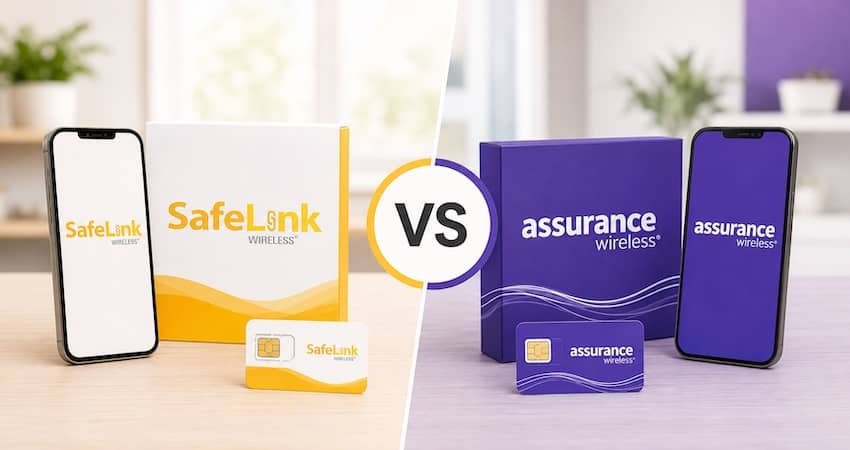
Free phone and device options
Both providers mail you a free basic Android smartphone after you’re approved (Assurance usually ships within 5–10 business days). The catch is the same for both: you don’t get to pick the model. It rotates based on stock and is typically an entry-level device from brands like ZTE, Wiko, Schok, or TCL. These phones handle calls, texts, maps, email, and social media just fine, but they won’t feel premium.
Neither provider gives out a free iPhone or a free flagship Samsung as its standard phone. If you see an ad promising one, be careful — that’s usually a red flag. (For the full story, see our guide on getting a free government iPhone.)
The good news is that both let you bring your own phone (BYOP) instead of taking the free one:
- With SafeLink, your phone needs to be unlocked and Verizon-compatible.
- With Assurance, your phone needs to be unlocked and T-Mobile-compatible.
If you already own a phone you like, this is often the better route. Our Lifeline BYOP guide explains how to check whether your phone will work.
Lifeline plans and benefits
Both providers give you the standard Lifeline package at $0 per month, with unlimited talk and unlimited text plus a monthly data allowance. Here’s where they differ:
Assurance Wireless updated its standard plan in 2025. In most states, you now get unlimited minutes and 10 GB of high-speed data (up from 4.5 GB) at no cost. Need more? The optional Data Peace of Mind add-on raises your high-speed data to 15 GB for about $1/month or $10/year — a small, clearly-priced upgrade.
SafeLink Wireless also gives you unlimited talk and text, plus a monthly data allowance that varies by state. Some states are more generous than others because of state-level Lifeline supplements. Because the amount changes by location, SafeLink asks you to enter your ZIP code to see the exact plan you’ll get — always check that before you decide.
Behind both plans is the same federal support: Lifeline provides a $9.25/month discount (up to $34.25/month for residents of qualifying Tribal lands). That subsidy is what makes your service free — you never pay it out of pocket. Just remember Lifeline is one benefit per household, so you can’t stack SafeLink and Assurance at the same time. (Here’s how the one-per-household rule works.)
Data and speeds
Both SafeLink and Assurance run on their parent networks’ value tiers. In plain terms, that means during busy times in crowded areas, your data can slow down before a full-price customer’s does. This is normal for Lifeline plans on both networks.
On paper, Assurance’s 10 GB baseline is usually clearer and often larger than SafeLink’s state-by-state amount. But real-world speed depends most on the signal strength at your address — a strong Verizon signal on SafeLink can easily outperform a weak T-Mobile signal on Assurance, and vice versa. Coverage wins over headline data numbers almost every time.
Customer service and reputation
Neither provider has a spotless reputation, and it’s only fair to say so.
Both SafeLink and Assurance draw mixed reviews, and the complaints tend to look alike: long hold times, support that can be hard to reach, basic or refurbished phone quality, and the occasional order or activation snag. You’ll find these themes on the BBB and consumer review sites for both companies.
At the same time, both have served millions of households for over 15 years, and most day-to-day issues do get resolved — activation hiccups are usually fixed on a second try. You can handle most account tasks online or in each provider’s app: SafeLink through the 611611 text service, and Assurance through Customer Care at 1-888-321-5880.
Our full SafeLink Wireless review and Assurance Wireless review go deeper into what current customers say about each one.
Cost and value
This part is simple: both plans cost $0 per month if you qualify. There’s no contract, no credit check, and no application fee — ever. A legitimate Lifeline provider will never charge you to apply, so if someone asks for a fee, treat it as a scam.
Since the price is the same, value comes down to coverage and data at your address. Pick the network that reaches you best, and you’ve picked the better value.
How to apply to SafeLink or Assurance
The process is nearly identical for both providers:
- Check that you qualify. You’re eligible if you’re on a program like SNAP, Medicaid, SSI, Federal Public Housing, or Veterans Pension, or if your household income is at or below 135% of the Federal Poverty Guidelines. See our Lifeline eligibility guide for the full list.
- Confirm the provider serves your ZIP on the “Companies Near Me” tool.
- Apply online, by phone, or at a local sign-up event, and upload proof of eligibility, identity, and address.
- Get approved through the National Verifier, the official system run by USAC.
- Activate your new phone or SIM once it arrives.
Our step-by-step guide on how to apply for Lifeline covers each step in detail.
Can you switch between SafeLink and Assurance?
Yes. You can transfer your Lifeline benefit from one provider to another, and in most cases you can keep your same phone number. Lifeline rules generally let you switch providers once every 60 days, and you must recertify your eligibility every year to keep the benefit either way.
If you’re moving from SafeLink to Assurance specifically, we have a dedicated walkthrough: how to switch from SafeLink to Assurance Wireless. For the general process — including keeping your phone number — see our how to switch Lifeline providers hub.
Frequently asked questions
Neither is better across the board — it depends on where you live. SafeLink (Verizon) usually wins in rural areas and covers all 50 states. Assurance (T-Mobile) usually wins in cities and suburbs and often gives more baseline data. Compare both coverage maps at your address to decide.
No. SafeLink runs on Verizon’s network, and Assurance runs on T-Mobile’s network. That’s the main reason coverage can be very different between the two at the same address.
Not as a standard free phone — both hand out basic Android devices. The realistic way to use an iPhone is to bring your own unlocked, compatible iPhone through each provider’s BYOP option.
No. Lifeline is one benefit per household, so you can only have one Lifeline provider at a time. You can switch between them, but not use both together.
Assurance’s standard plan gives 10 GB of high-speed data in most states (with a $1/month option for 15 GB). SafeLink’s data varies by state, so enter your ZIP code on its site to see your exact allowance.
Yes. You can usually transfer your Lifeline benefit and port your existing number to the new provider. Switching is generally allowed once every 60 days.
Bottom line
SafeLink and Assurance offer the same free deal — unlimited talk and text, a monthly data allowance, and a basic phone at no cost. The choice really comes down to coverage: Verizon (SafeLink) for the widest, most rural-friendly reach, or T-Mobile (Assurance) for strong city coverage and a clear 10 GB of data. Check both maps for your address, confirm your ZIP on the Companies Near Me tool, and go with the stronger signal.