
If you are looking for a free government phone, the name Gen Mobile comes up a lot. It shows up in ads, on comparison sites, and in the Lifeline provider list for most of the country. But a familiar name is not the same as the right name for you.
So I did the digging. I went through Gen Mobile’s own plan and Lifeline pages, checked who actually owns and runs the network in 2026, and read a big stack of real customer reviews – the happy ones and the angry ones. This review lays out exactly what Gen Mobile gives you through Lifeline, where it falls short, and who should sign up (and who might be happier with someone else).
Quick Verdict: Is Gen Mobile Worth It in 2026?
Here is the short answer before the details.
Gen Mobile is a good Lifeline choice if you want wide coverage in almost any state, you make international calls to family abroad, and you are happy to bring your own phone or use the free phone for basic calling and texting.
You may want to look elsewhere if you burn through a lot of data every month, you want a nicer free phone out of the box, or you know you will need a lot of help from customer support. Gen Mobile’s support is its weakest spot, and I will be honest about that below.
Either way, the most important thing first: Gen Mobile is a real, government-approved Lifeline provider.
Is Gen Mobile a Legit Lifeline Provider?
Gen Mobile is an FCC-authorized Lifeline provider – the official term is an Eligible Telecommunications Carrier, or ETC. That means the federal government has approved it to hand out the Lifeline discount and it has to follow real rules to keep that approval.
Gen Mobile is also owned by EchoStar, the same company behind Boost Mobile and DISH. In fact, the fine print on Gen Mobile’s website now shows it as a division of Boost SubscriberCo – part of the Boost Mobile family. This is a large, long-standing telecom company, not a fly-by-night operation.
A quick trust tip I give everyone: before you enter your Social Security number anywhere, make sure the provider is on the official government list. You can look up any Lifeline company yourself. Here’s how to verify a Lifeline provider is legitimate in a couple of minutes. Gen Mobile passes that check.
So the legitimacy box is checked. Now let’s talk about whether the actual service is any good.
What Network Does Gen Mobile Use?
This is where a lot of older reviews get it wrong, so pay attention here, the answer changed recently.
For years, Gen Mobile ran on AT&T. Then its parent company, EchoStar, tried to build its own 5G network under the Boost brand. In late 2025, EchoStar shut that home-built network down and made a deal with AT&T instead.
Here is what that means for you in 2026: Gen Mobile now runs on AT&T’s towers as its main network, using Boost’s own 5G “core,” with access to T-Mobile’s network as well. For you, that means you get one of the two largest networks in the country carrying your calls, texts, and data. Gen Mobile advertises 99% nationwide coverage, and for most people in most places, the signal is solid.
There is one honest catch that comes with every budget carrier like this, and Gen Mobile is no different. Because Gen Mobile is a smaller brand riding on a big network, your data can slow down in very busy areas – think crowded downtowns, concerts, or stadiums – when the network gets full. Regular AT&T customers get first priority; you get what’s left. Most people never notice. But if you live in a packed city center, keep it in mind.
Bottom line on coverage: strong nationwide reach, real 5G, but you’re a guest on the network, so speeds can dip when things get crowded. Always check the coverage map for your own zip code before you commit.
Where Gen Mobile Offers Lifeline: 42 States
Gen Mobile is one of the wider-reaching Lifeline providers. As of 2026, it offers Lifeline service in 42 states, and it keeps adding more.
That wide footprint is one of Gen Mobile’s real strengths. Some Lifeline providers only work in a handful of states. Gen Mobile covers most of the map, which makes it a realistic option whether you’re in Texas, Ohio, New York, Georgia, or almost anywhere in between.
A few notes worth knowing:
- In California, Gen Mobile also takes part in the separate, more generous state program called California LifeLine. If you live there, read our California Lifeline guide – you may qualify for a bigger benefit than the federal one.
- If you live on Tribal lands, you can get an enhanced Lifeline benefit worth much more each month. See our Tribal Lifeline guide for how that works.
- Not sure what’s available where you live? Our Lifeline by state hub breaks down which providers serve each state.
What You Get With Gen Mobile Lifeline
Lifeline gives you a monthly discount of $9.25 (or $34.25 if you live on Tribal lands). Gen Mobile puts that discount toward a free monthly plan. In most states, the free Lifeline plan includes:
- Unlimited talk
- Unlimited text
- 4.5 GB of high-speed data each month
- Mobile hotspot (so you can share your data with a laptop or tablet)
That 4.5 GB is the minimum amount of data the government requires Lifeline plans to include, and it’s what most providers offer at the free tier. In states that add their own extra subsidy, or on Tribal lands, Gen Mobile offers a higher-value plan with more.
Is 4.5 GB a lot? It’s enough for calls, texts, messaging apps, maps, email, and some light browsing. It is not enough for heavy video streaming, music streaming all day, or hours of social media video. If that sounds like you, don’t worry, you can bump up to a bigger data plan for as little as $10 a month more (more on plans below).
Want to learn exactly how the Lifeline discount works? Here’s how much the Lifeline discount is worth and what it does and doesn’t cover.
The Free Phone: What to Really Expect
Here’s the part where honesty matters most, because this is where people get let down.
Yes, if you qualify, Gen Mobile will send you a free smartphone with your Lifeline plan. But the free phone is a basic, entry-level device. Gen Mobile itself describes these phones as being built for the essentials; calls, texts, and light browsing. They often have limited storage, so they may not run every app you want, and they won’t feel like a brand-new flagship phone.
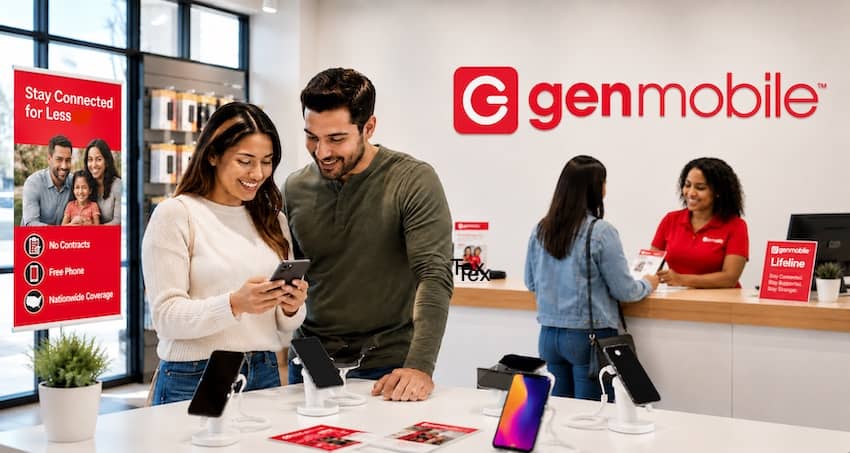
That’s not Gen Mobile being cheap. That’s simply the reality of every free Lifeline phone from every provider. The government subsidy covers monthly service, not expensive hardware, so free phones across the whole program are basic by design.
When I helped an older neighbor get set up on a free Lifeline phone, it handled her calls, texts, and photos of the grandkids just fine – but it choked when she tried to load three or four heavier apps at once. Once we cleared out apps she didn’t use, it settled down. For her needs, it was genuinely enough.
You have three good options with Gen Mobile:
- Take the free basic phone — perfect if you mainly call and text.
- Upgrade to a better device — Gen Mobile sells phones from Apple, Samsung, and Motorola, and you can put your Lifeline discount toward one and pay the difference.
- Bring your own phone — often the smartest move, covered next.
One more honest note: the free phone comes with a 30-day warranty for out-of-the-box defects. If it arrives broken or dies in the first month, contact support to sort it out. After that, a broken free phone is generally on you to replace; which is another reason many people prefer to bring a phone they already trust.
Bring Your Own Phone (BYOD and eSIM)
If you already have a phone you like, you can usually keep it, and I often suggest this. You skip the basic free phone entirely and just move your Lifeline benefit onto the phone in your hand.
Gen Mobile supports both physical SIM cards and eSIM, so newer phones that don’t use a SIM tray still work. Here’s what to check:
- Your phone must be carrier-unlocked (not tied to another carrier’s contract).
- It needs to be compatible with Gen Mobile’s network. Gen Mobile has an online IMEI checker where you type in your phone’s serial number and it tells you yes or no in seconds.
- Gen Mobile works with most unlocked phones built for AT&T, T-Mobile, and the brands that run on them (like Cricket, Metro, Straight Talk, Mint, and similar).
Bringing your own phone means a nicer device, no waiting for hardware to ship, and you can often keep your current phone number too. For the full walkthrough on checking compatibility and moving your number, see our bring-your-own-phone Lifeline guide.
Who Qualifies for Gen Mobile Lifeline?
Gen Mobile follows the same federal Lifeline rules as everyone else. There are two ways to qualify, and you only need one.
1. Through a government program. If you (or someone in your household) take part in certain assistance programs, you qualify. The common ones include:
- Medicaid
- SNAP (food stamps / EBT)
- Supplemental Security Income (SSI)
- Federal Public Housing Assistance
- Veterans Pension or Survivors Benefit
- Certain Tribal programs
2. Through your income. If your household income is at or below 135% of the Federal Poverty Guidelines, you qualify – no program needed.
A couple of rules to remember: Lifeline is one benefit per household, and you must use the service at least once every 30 days to keep it active.
Not sure if you make the cut? Most people who wonder actually do qualify. Check our full Lifeline eligibility guide for the exact income numbers for 2026 and every qualifying program.
How to Apply for Gen Mobile Lifeline (Step by Step)
Applying is done online and usually doesn’t take long.
- Go to Gen Mobile’s Lifeline application page and start the form. You’ll give your full name, date of birth, home address, and the last four digits of your Social Security number (or your Tribal ID number).
- Choose how you qualify — pick your program or enter your income.
- Upload your documents. Depending on how you qualify, that means a government ID plus proof of your program or proof of income (like a pay stub or benefit letter).
- Wait for approval. Gen Mobile says most applications are approved in about 20 to 30 minutes, though some take up to a few business days if a document needs a second look.
- Get your SIM or phone. Once you’re approved, your free SIM card (or free phone) ships out, usually arriving in 3 to 7 business days.
Already have Lifeline with another company? You can transfer your benefit to Gen Mobile just by applying – you don’t lose your spot in the program, you just move it. Our guide on how to switch Lifeline providers walks through the whole thing, including keeping your phone number.
New to Lifeline entirely? Start with our step-by-step how to apply for Lifeline guide first.
Gen Mobile Prepaid Plans (If You Don’t Qualify — or Want More)
Not everyone qualifies for Lifeline, and some people who do still want more data. Either way, Gen Mobile has regular prepaid plans, and they’re genuinely cheap.
Plans start as low as $10 a month for a small amount of data and go up to unlimited (with the fastest data capped at a set amount before it slows). If you pay for several months at once – 3, 6, or 12 months – you save even more, sometimes 10% to 25% off.
Here’s the part that’s easy to miss and actually useful: you can apply your $9.25 Lifeline discount to a paid plan and just pay the difference. So if you want more data than the free plan gives, you might upgrade for only a few dollars a month out of pocket. That flexibility is one of Gen Mobile’s nicer features.
Every Gen Mobile plan, free or paid, also includes unlimited calling to more than 100 countries – genuinely valuable if you have family abroad, and a real reason some people pick Gen Mobile over other Lifeline providers.
(Plan prices change, so check Gen Mobile’s live plans page for today’s exact numbers before you buy.)
Phone Replacement and Warranty
- First 30 days: Your Gen Mobile device is covered for out-of-the-box defects. If it arrives faulty, contact customer care and they’ll review a replacement.
- After 30 days: If your free phone breaks or you lose it, replacing it is generally your responsibility. You’d typically buy a low-cost replacement or move your benefit to a phone you already own.
This isn’t unique to Gen Mobile – it’s how free Lifeline phones work across the board. It’s one more reason bringing your own reliable phone can save you a headache down the road.
Annual Recertification: Don’t Lose Your Benefit
Two things keep your Gen Mobile Lifeline service alive, and forgetting either one is the most common way people lose it:
- Use it at least once every 30 days – make a call, send a text, use data.
- Recertify once a year. The government checks every year that you still qualify. When your recertification notice comes, respond by the deadline or your benefit gets shut off.
Recertification is quick, but it’s easy to ignore a letter or email and get cut off by accident. We wrote a full Lifeline recertification guide so that never happens to you.
Customer Service: The Honest Weak Spot
I promised honesty, so here it is: customer service is Gen Mobile’s weakest area.
You can reach Gen Mobile several ways – dial 611 from your phone, call 1-833-528-1380, use the live chat on their website (7:00 a.m. to 5:30 p.m. Pacific, seven days a week), or email their care team. On paper, that’s plenty of options.
In practice, the reviews are mixed. Plenty of customers report quick, friendly help and fast activations. But a real share of complaints describe long back-and-forth, activation and SIM-card headaches, and this one comes up a lot – difficulty canceling when they try to leave. Some folks switching to another Lifeline provider struggled to get their old Gen Mobile line turned off.
One thing to know that’s actually a good rule, even if it feels annoying: Gen Mobile makes you verify your identity before they’ll change anything on your account. That protects you from someone else messing with your service, but it does mean you need your account info handy when you call.
My take: if you’re comfortable and don’t expect to need much hand-holding, this won’t bother you. If you know you’ll want patient, easy support, weigh this carefully.
Common Complaints (and How to Handle Them)
Here are the issues that show up most in real reviews, with the fix for each:
- “I run out of data too fast.” The free plan’s 4.5 GB is limited. Fix: use Wi-Fi at home, or upgrade your data for a few dollars a month.
- “The free phone is slow / won’t run my apps.” These are basic devices. Fix: bring your own phone, or upgrade to a better model with your discount applied.
- “My SIM wouldn’t activate.” Activation hiccups happen. Fix: follow the printed activation steps exactly, restart the phone, and call 611 if it still won’t connect.
- “Coverage or speed is bad in my area.” MVNO speeds vary by location. Fix: check the coverage map for your zip code before signing up.
- “It was hard to cancel.” A known pain point. Fix: keep your account details handy, and if you’re switching, applying with your new provider can trigger the transfer automatically.
None of these are dealbreakers on their own. But knowing them ahead of time means no nasty surprises.
Gen Mobile Pros and Cons
Pros
- Real, FCC-authorized Lifeline provider owned by EchoStar (Boost/DISH) – legit and stable
- Wide coverage – Lifeline in 42 states, on AT&T’s network (plus T-Mobile access)
- Free unlimited talk and text, plus 4.5 GB data and hotspot
- Free international calling to 100+ countries on every plan
- Supports both physical SIM and eSIM, with easy bring-your-own-phone
- Cheap paid upgrades, and you can stack your Lifeline discount onto them
- Fast approvals (often 20–30 minutes)
Cons
- Free phone is basic – limited storage, essential use only
- Free plan data (4.5 GB) runs out fast for heavy users
- Customer service is inconsistent; canceling can be a hassle
- Like all budget carriers, data can slow in crowded areas
- No physical stores to walk into for help
- After 30 days, a broken free phone is your responsibility
How Gen Mobile Compares to Other Lifeline Providers
No single provider is best for everyone. Here’s where Gen Mobile lands next to the big names:
- Gen Mobile vs. AirTalk Wireless: AirTalk tends to win on device selection and data offers, and it’s the go-to if you want a shot at a nicer free phone. Gen Mobile competes on international calling and wide state coverage.
- Gen Mobile vs. Assurance Wireless: Assurance runs on T-Mobile and is one of the biggest, oldest names. Gen Mobile’s edge is its international calling and AT&T-based coverage, which may reach better in areas where T-Mobile is weak.
- Gen Mobile vs. Life Wireless: Both are solid, no-frills options. Coverage in your specific area is usually the tiebreaker.
Gen Mobile’s real standouts are its wide 42-state reach, its free international calling, and its BYOD flexibility. Where it lags is support and the basic free phone.
Who Gen Mobile Is Best For
Gen Mobile is a great fit if you:
- Live in one of its 42 states and want reliable nationwide coverage
- Call family or friends in other countries
- Already own a phone you’d like to keep (BYOD)
- Mainly need calling and texting, with light data
- Want the option to cheaply upgrade your data later
Look at other providers if you:
- Use a lot of data every month
- Want a nicer free phone right out of the box
- Expect to lean on customer support often
Final Verdict
Gen Mobile is a legitimate, well-established Lifeline provider with genuinely wide coverage, free international calling, and the flexibility to bring your own phone or upgrade cheaply. For a lot of people – especially those who call abroad or just need dependable talk, text, and light data – it’s a solid choice worth applying for.
The honest trade-offs are a basic free phone and customer service that can be hit-or-miss. If you go in knowing that, use Wi-Fi to stretch your data, and (ideally) bring a phone you already trust, Gen Mobile can serve you well for years without costing you a cent.
Ready to see if you qualify? Start with our Lifeline eligibility guide, then head to our how to apply walkthrough. You may already qualify and not know it and that free connection could be one short form away.
Frequently Asked Questions
Yes. Gen Mobile is an FCC-authorized Lifeline provider (an Eligible Telecommunications Carrier) owned by EchoStar, the parent of Boost Mobile and DISH. It’s a real, established company – not a scam site. You can confirm any provider on the official government list before applying.
Gen Mobile runs mainly on AT&T’s nationwide network, using Boost Mobile’s own 5G core, with access to T-Mobile’s network as well. This changed in late 2025 after EchoStar shut down its own home-built network, so older reviews may be out of date.
Yes, if you qualify – but it’s a basic, entry-level smartphone meant for calls, texts, and light use. It’s free because the government subsidy covers monthly service, not fancy hardware. You can also upgrade to a better phone (paying the difference) or bring your own.
In most states, the free Lifeline plan includes unlimited talk and text plus 4.5 GB of high-speed data and mobile hotspot. States with extra subsidies and Tribal lands get more. You can upgrade your data for as little as $10 a month more.
Yes. Gen Mobile supports physical SIM cards and eSIM. Your phone needs to be unlocked and compatible – use Gen Mobile’s online IMEI checker to confirm. Bringing your own phone lets you skip the basic free device and often keep your number.
Applications are often approved in 20–30 minutes, though some take a few business days. Once approved, your SIM card or phone usually ships within 3 to 7 business days.
Dial 611 from your Gen Mobile phone, call 1-833-528-1380, use the live chat on genmobile.com (7:00 a.m.–5:30 p.m. Pacific, seven days a week), or email their care team. Have your account details ready – they verify your identity before making changes.
Gen Mobile offers Lifeline in 42 states as of 2026, with more being added. Check our Lifeline by state hub to see which providers serve your state, or Gen Mobile’s Lifeline page for the current list.