
If your budget is tight, a phone that works every single day is not a luxury. It is how you call about a job, check in with your kids, talk to your doctor, and reach 911 if something goes wrong. So before you sign up with any free phone company, it is smart to slow down and ask one simple question: Is SafeLink Wireless actually a good choice in 2026?
I dug into SafeLink so you don’t have to guess. I read through their own pages, checked their coverage claims, called their support line with the kind of questions a real person would ask, and compared them against the other big Lifeline names. This review lays out exactly what SafeLink gives you today, what it holds back, and since a lot of readers are asking for a parent or grandparent – whether it is a good fit for seniors.
Let’s get into it.
Quick Take: Is SafeLink Wireless Worth It in 2026?
Here is the short version before we dig into the details.
SafeLink is a strong choice if you want the most reliable coverage in the Lifeline world, you live somewhere rural or spread out, you already own a phone you’d like to keep, or you just want a simple, no-bill setup that quietly works month after month.
SafeLink may not be the best fit if you were hoping for a free iPhone or a fancy new phone, or if you want a lot of high-speed data every month without paying extra.
The biggest reason people pick SafeLink comes down to one word: Verizon. SafeLink runs on Verizon’s network in most states, and Verizon has some of the strongest signal in the country – especially out in rural areas where other companies drop off. When I asked a SafeLink rep why so many long-time customers stay, the answer was simple: the phone just works when they need it. That reliability matters more than almost anything else when this is your only phone.
Is SafeLink Wireless Legit? (Yes — Here’s the Proof)
There are a lot of shady “free government phone” websites out there, so this is a fair thing to check first.
SafeLink Wireless is one of the oldest and largest Lifeline providers in the country. It has been part of the federal Lifeline program since 2008, which makes it one of the most established government phone brands in the United States. Over the years it has served millions of low-income households.
SafeLink is a brand of TracFone Wireless, which Verizon bought in 2021. Today, SafeLink is a registered trademark of Verizon Value, Inc. – a Verizon company. That is a big deal for trust. You are not dealing with a tiny no-name outfit that might disappear next year. You are dealing with a brand owned by one of the largest phone companies in America.
SafeLink is also an Eligible Telecommunications Carrier (ETC). That is the official label the government gives to companies that are allowed to offer Lifeline service. Only ETCs can hand out the Lifeline benefit, so this label is your proof that SafeLink is the real thing and not a scam.
Quick tip: No matter which company you choose, you can always confirm it is a real Lifeline provider at lifelinesupport.org. If a website promises you a phone but you cannot find that company on the official list, walk away. For more on staying safe, see our guide on how to spot a Lifeline scam.
What Network Does SafeLink Use?
This is the part that makes or breaks SafeLink for you, so let’s be clear.
In most states, SafeLink runs on Verizon’s 4G LTE and 5G network. Verizon has one of the widest coverage footprints in the country, and it is often the strongest option in rural towns, back roads, and open country – the kinds of places where smaller carriers leave you with no bars.
If you live in the mountains, the plains, farm country, or any area where you’ve watched other people’s phones lose signal, this is SafeLink’s real advantage. It is hard to beat Verizon’s reach.
A small note for honesty: in a handful of states, SafeLink may still run on AT&T’s or T-Mobile’s network instead, because TracFone used several networks for years. Since Verizon took over, the company has been moving most customers onto Verizon-compatible SIM cards. So the safe move is simple – check the coverage in your ZIP code before you commit. When I looked up coverage for a reader in a rural county, Verizon showed strong signal while two other Lifeline carriers showed almost none. That one check saved them from a phone that wouldn’t work at home.
What You Get With the Free SafeLink Lifeline Plan
For households that qualify, the SafeLink Lifeline plan costs $0 a month. There are no contracts, no credit checks, and no surprise bills. The federal Lifeline program covers the cost with a monthly discount of at least $9.25 (and up to $34.25 a month for people who live on qualifying Tribal lands).
Here is what the free plan generally includes:
- Unlimited talk — call as much as you need.
- Unlimited text — send all the messages you want.
- A monthly data allowance — the amount depends on your state.
- A free phone for new qualifying applicants in most states, or the option to keep your own.
About the data — read this carefully. SafeLink’s free data amount varies quite a bit by state. Many states land somewhere around 6 GB to 10 GB of high-speed data per month, while a few states and Tribal plans offer more. Once you use up your high-speed data, your speed slows down for the rest of the month. Slower data is still fine for basic email and texting, but it is not great for streaming a lot of video.
One important correction for 2026. You may have seen old pages or ads promising “unlimited data” from SafeLink. That unlimited offer was tied to the Affordable Connectivity Program (ACP), and the ACP ended on May 31, 2024. The ACP is gone. What continues today is the regular Lifeline benefit, which gives you unlimited talk and text plus a monthly data allowance – not unlimited data. If you ever lost the bigger data plan and wondered why, this is the reason. You can read the full story in our guide on what the end of ACP means for you.
SafeLink Paid Plans and Add-Ons (Optional)
Here is something that sets SafeLink apart from many Lifeline carriers: you don’t have to stop at the free plan.
SafeLink now offers optional paid plans and data add-ons on top of your free Lifeline benefit. If you run out of high-speed data before the month ends, you can buy more. If you want more of something the free plan doesn’t cover, there are affordable refill options tailored to different needs. Some of these add-ons even carry over to the next month, so you don’t lose what you paid for right away.
This is genuinely useful for a busy month – say you’re job hunting, or a family member is in the hospital and you’re on the phone constantly. Instead of being stuck, you can top up.
A word of caution, though: paid plans are separate from your free benefit, and prices change over time. I’m not going to quote exact dollar amounts here, because they shift and vary by area, and I don’t want you to plan around an old number. When you’re ready, check the current paid options directly on SafeLink’s site or by calling their line so you get today’s real prices. And remember – you never have to buy anything. The free Lifeline plan stays free.
What Free Phone Do You Get With SafeLink?
Let’s be honest and clear here, because this is where people are most often disappointed by any free phone company.
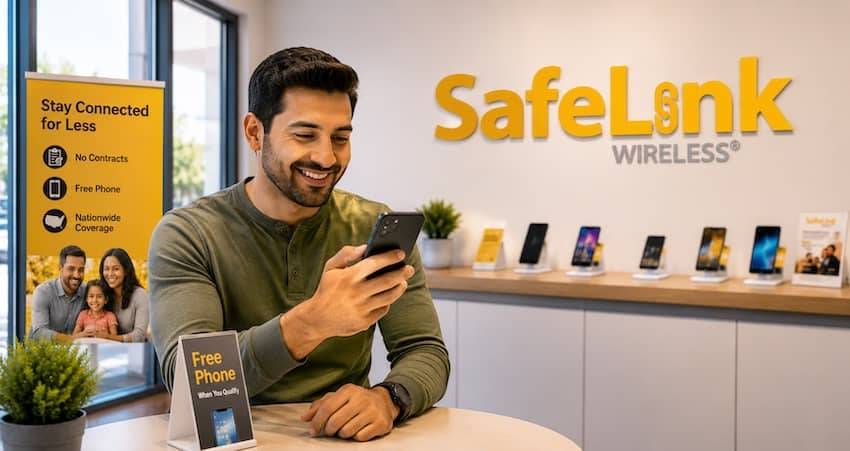
SafeLink gives new qualifying customers a free phone in most states, and it is usually a basic, entry-level Android smartphone. Recent examples have included phones like the Motorola Moto G series, TCL models, and Samsung Galaxy A-series phones. These are simple, dependable phones that handle calls, texts, apps, and the internet just fine.
What you should not expect:
- Not a free iPhone. SafeLink almost never gives out iPhones as the free phone. If a free iPhone is your goal, AirTalk Wireless is usually a better path – read our AirTalk review to see how.
- Not a top-of-the-line model. You won’t get a premium Samsung Galaxy S or Google Pixel for free.
- Not always a flip phone. True flip phones are rare as the free option. SafeLink does sell some flip phones (and upgraded smartphones) at a discount, but those usually cost extra.
The exact phone you get depends on your state and what’s in stock when you apply. SafeLink does not guarantee a specific model.
Already have a phone you like? You can often keep it. SafeLink’s Bring Your Own Phone (BYOP) option lets you use a compatible phone you already own – they simply send you a SIM card. This is a smart move for a lot of people, especially if you have a decent phone already. Just run the compatibility check on SafeLink’s site first, since your phone needs to work on their network.
Is SafeLink a Good Fit for Seniors?
A lot of readers are asking this for a parent or grandparent, so let’s give it its own section.
For many seniors, SafeLink is one of the better Lifeline choices, and here’s why:
- Reliable coverage where it counts. For an older adult, a phone that keeps signal is a safety issue, not a convenience. Verizon’s strong network means a better chance of reaching 911, family, or a doctor from home – including in rural areas where seniors often live.
- No bills and no contracts. There is nothing to remember to pay and no fine print to worry about. That peace of mind is worth a lot.
- Simple to set up and keep. The plan is straightforward. And SafeLink has real support you can reach by phone (more on that below), which helps when a senior needs a hand.
- You can keep a familiar phone. If your parent already has a phone they know how to use, the BYOP option means they don’t have to learn a new device.
I helped an older neighbor get set up on SafeLink last year. She was nervous about the whole thing, but once the SIM arrived and her phone was working, the biggest relief for her family was knowing she could call for help from anywhere in her house – the coverage held everywhere, even in her back garden.
One honest caveat for seniors: if your loved one really wants a simple flip phone with big buttons, the free SafeLink phone is usually a basic Android touchscreen, not a flip. You can buy a flip phone from SafeLink at a discount, or bring one that’s already compatible, but the free device is typically a smartphone. If a true flip phone is a must, factor that in.
And a very common mix-up to clear up: being on Medicare does not, by itself, qualify you for Lifeline. But if a senior is on Medicaid or SSI, or their income is low enough, they very likely do qualify. We explain this fully in our free cell phones for seniors guide.
Who Qualifies for SafeLink Wireless?
SafeLink follows the same federal Lifeline rules as every other provider. You can qualify in one of two ways.
1. By the program you’re in. You likely qualify if you or someone in your household takes part in any of these:
- SNAP (food stamps / EBT)
- Medicaid
- Supplemental Security Income (SSI)
- Federal Public Housing Assistance (Section 8)
- Veterans Pension or Survivors Pension
- Certain Tribal programs (like Bureau of Indian Affairs General Assistance, Tribal TANF, or Head Start)
- Federal Pell Grant (in the current award year)
2. By your income. You qualify if your household income is at or below 135% of the Federal Poverty Guidelines. The exact dollar limit depends on how many people live in your home.
Two rules to keep in mind:
- One benefit per household. Lifeline is limited to one discount per household – not one per person. If someone at your address already has a Lifeline phone, you generally can’t get a second one unless you’re a truly separate household sharing the same address.
- You’ll need proof. Have a document ready that shows either your program (like a benefit letter or EBT card) or your income (like a pay stub or tax return).
For the full, up-to-date rules and the income chart, see our Lifeline eligibility guide.
How to Apply for SafeLink Wireless: Step by Step
The good news is the process is straightforward. Here’s how it works.
- Check your ZIP code. Go to SafeLink’s website and enter your ZIP to confirm service is available in your area.
- Enter your basic info. You’ll provide your name, address, date of birth, and the last four digits of your Social Security number.
- Get verified through the National Verifier. SafeLink sends your information to the National Verifier, the government system that confirms you qualify for Lifeline. You may be asked to upload proof of your program or income.
- Answer the household questions. You’ll confirm how many people you live with and whether anyone else already gets a Lifeline benefit, to satisfy the one-per-household rule.
- Choose your phone. Pick a free phone or choose “keep my own phone” and get a SIM card instead.
- Wait for approval. Once you’re approved, your phone or SIM usually ships within a few business days.
If you get stuck or your application sits in a “pending” status, don’t panic – that’s common, and it usually just means the Verifier needs another look at your documents. For a full walkthrough of the process for any provider, see our how to apply for Lifeline guide. And if you’re ever turned down, our guide on what to do if your Lifeline application is denied will help you fix it and try again.
Prefer to talk to a person? You can call 1-800-SafeLink (1-800-723-3546) to apply or get help, use the 24/7 online chat, or text 611611 from a SafeLink phone for quick self-service like checking your balance.
Keeping Your SafeLink Service Active
Two things keep your free service from getting cut off – and both are easy to stay on top of.
Use your phone at least once every 30 days. Make a call, send a text, or use some data. If your line sits totally unused for too long, the benefit can be paused. If that ever happens to you, our guide on how to reactivate a SafeLink phone walks you through getting it back.
Recertify once a year. Every year, the government requires you to confirm you still qualify. This is a federal rule for all Lifeline providers, not a SafeLink quirk. SafeLink will send you a notice by text or email, so keep your contact info current and respond right away. If you miss the deadline, your service stops and you’d have to apply again from scratch. Our Lifeline recertification guide makes this simple.
And if your phone breaks or you lose it, you’re not out of luck – here’s how to get a SafeLink phone replacement. If your mobile hotspot ever stops working, we’ve also got a fix-it guide for why the SafeLink hotspot isn’t working.
SafeLink Wireless Pros and Cons
The good:
- Runs on Verizon’s network — the strongest coverage in the Lifeline world, especially rural areas
- One of the oldest and largest Lifeline providers, backed by Verizon – very trustworthy
- $0 a month with unlimited talk and text
- Optional paid add-ons if you want more data or features
- Bring your own phone option so you can keep a device you like
- Real customer support by phone, chat, and text
- Available in most states
The trade-offs:
- Free phone is a basic Android, not an iPhone or premium model
- No free flip phone as standard — you’d usually buy one or bring your own
- Data amounts vary a lot by state, and there’s no free unlimited data anymore (ACP ended)
- The phone model you get isn’t guaranteed and depends on stock
How SafeLink Compares to Other Lifeline Providers
No single provider is best for everyone. Here’s how SafeLink stacks up against the other big names so you can choose with confidence.
- SafeLink vs. Assurance Wireless: Both are huge, long-running Lifeline providers. The main difference is the network – SafeLink runs on Verizon (best for rural coverage), while Assurance runs on T-Mobile (often great in cities and suburbs). Check which one covers your home better.
- SafeLink vs. AirTalk Wireless: AirTalk is the go-to if you want a shot at a free iPhone or a bigger choice of phones. SafeLink wins on network reliability and its long, trusted track record.
- SafeLink vs. Life Wireless: Life Wireless runs on AT&T, which is a good alternative if AT&T is strong where you live. Just watch for any one-time SIM fees.
Want to see all your options side by side? Our best Lifeline providers guide compares them all by network, data, phones, and states served. And if you’re currently with another company and thinking about moving, here’s how to switch Lifeline providers without losing your phone number.
Who Should Choose SafeLink Wireless?
SafeLink is likely your best pick if you:
- Live in a rural or spread-out area and need dependable signal
- Want a trusted, established provider that won’t vanish
- Already own a phone you’d like to keep
- Just want a simple, free, no-bill plan that works
- Are helping a senior who needs reliable coverage for safety
You might look elsewhere if you:
- Have your heart set on a free iPhone (try AirTalk)
- Need a lot of high-speed data every month without paying extra
For most people who care most about a phone that simply works when they need it, SafeLink is one of the safest bets in the Lifeline program.
Frequently Asked Questions
Yes. For households that qualify for Lifeline, SafeLink’s monthly service is $0 with unlimited talk and text plus a monthly data allowance. There are no contracts or hidden monthly bills. Optional paid add-ons exist, but you never have to buy them.
SafeLink runs on Verizon’s 4G LTE and 5G network in most states, which is why its rural coverage is so strong. In a few states it may still use AT&T or T-Mobile, so check coverage for your ZIP code first.
Almost never. The free SafeLink phone is usually a basic Android smartphone. If you want a free iPhone, AirTalk Wireless is a better option to look into.
Yes. SafeLink’s Bring Your Own Phone option lets you keep a compatible phone you already own – they’ll send you a SIM card. Just run the compatibility check on their site first.
Not on its own. Medicare alone doesn’t qualify you for Lifeline. But if you’re on Medicaid or SSI, or your income is low enough, you very likely do qualify.
Call 1-800-SafeLink (1-800-723-3546), use the 24/7 chat on their website, or text 611611 from your SafeLink phone for quick self-service.
For many seniors, yes – the strong Verizon coverage, no-bill setup, and real phone support make it a safe, simple choice. Just know the free phone is usually a basic smartphone, not a flip phone.