
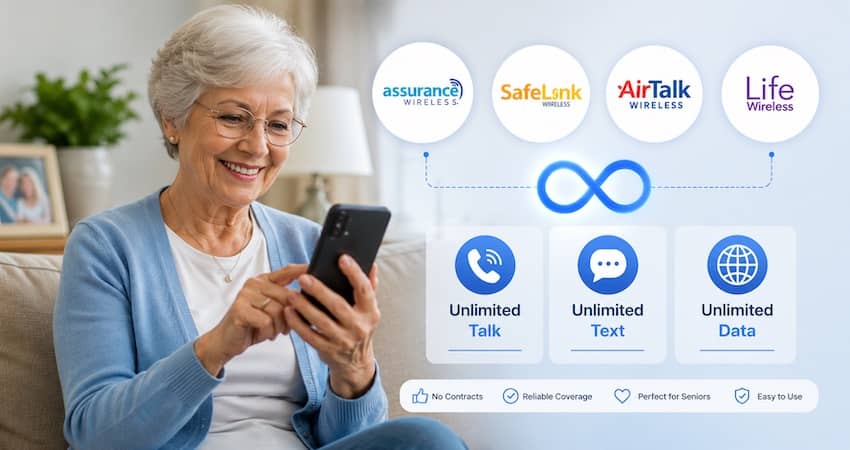
Looking for a free cell phone as a senior? The federal Lifeline program can give you one — plus free monthly talk, text, and data — at no cost and no contract. For most seniors in 2026, the strongest choices are Assurance Wireless, SafeLink Wireless, AirTalk Wireless, and Life Wireless.
The best one for you comes down to two things: which network works where you live, and whether you want a simple phone or a smartphone.
This guide compares each provider, explains what to look for, and shows you how to qualify — even if you’re on Medicare or living on a fixed income.
What seniors should look for in a Lifeline provider
Not every provider is a good fit for every person. Before you pick one, think about these five things:
- Coverage where you live. A free phone only helps if the network actually works at home. The big networks are T-Mobile, Verizon, and AT&T.
- The right kind of phone. Do you want a simple phone for calls and texts, or a smartphone with a bigger screen for photos and video calls?
- Unlimited talk and text. This means you never have to count your minutes or worry about running out.
- Easy setup and friendly help. If you’re not comfortable with technology, good customer support matters a lot.
- No cost, ever. Real Lifeline service is free. No honest provider will charge you a sign-up or “activation” fee.
First, do you qualify? (Medicare alone is not enough)
Lifeline is for low-income households. You can qualify in one of two ways: by your income, or by a program you already take part in.
You may qualify if your household income is at or below 135% of the Federal Poverty Guidelines. For 2026, that’s about $21,546 a year for one person and about $29,214 for a couple. Alaska and Hawaii use higher limits, and California sets its own.
You also qualify if you (or someone in your home) take part in a program like:
- Medicaid
- SNAP (food stamps)
- Supplemental Security Income (SSI)
- Federal Public Housing Assistance
- Veterans Pension or Survivors Benefit
Here’s the part many seniors get wrong: Medicare by itself does not qualify you, and neither does Social Security retirement income on its own. But if your income falls under the limit — as it does for many seniors on fixed incomes — you’re still covered. And if you’re on SSI or Medicaid, you’re in. You can read the full list on our Lifeline eligibility guide, and there’s more detail in our guide to free cell phones for seniors on Medicare.
Remember: Lifeline is one benefit per household, not per person.
Best Lifeline providers for seniors in 2026 — quick comparison
| Provider | Network | Talk & Text | Monthly Data* | Best for seniors who… |
|---|---|---|---|---|
| Assurance Wireless | T-Mobile | Unlimited | ~10GB (most states) | want the widest availability and simple setup |
| SafeLink Wireless | Verizon (TracFone) | Unlimited | Varies by state | live in rural or Verizon-strong areas |
| AirTalk Wireless | GSM (nationwide) | Unlimited | Varies by state | want a nicer smartphone (iPhone or Samsung) |
| Life Wireless | AT&T | Unlimited | Varies (~4.5GB+) | get the strongest signal from AT&T |
Data amounts and free-phone offers change by state and ZIP code. Always check the offer shown for your own address before you apply.
Assurance Wireless — best overall availability
Assurance Wireless runs on the T-Mobile network, which covers about 99% of the country. That wide reach makes it one of the easiest options to get, no matter where you live.
New customers get a free phone (usually an Android smartphone — the exact model varies), along with unlimited talk and text and about 10GB of high-speed data in most states. California and Tribal lands may get different amounts. There’s no credit check, no contract, and no activation fee.
Good for: seniors who want a widely available, no-fuss option.
Keep in mind: data speeds can slow down when the network is busy, and the phone model isn’t guaranteed.
See our full Assurance Wireless review for details, or compare it head-to-head in our SafeLink vs Assurance and AirTalk vs Assurance guides.
SafeLink Wireless — best for Verizon coverage
SafeLink is part of the TracFone family, now owned by Verizon. That means it often reaches places where other carriers are weak — including many rural areas where Verizon has the strongest signal.
You get unlimited talk and text plus a monthly data allowance that changes by state. You can take a free phone, or bring your own unlocked phone and use a free SIM card instead. SafeLink is one of the largest and longest-running Lifeline providers, so it’s a familiar, trusted name.
Good for: seniors in rural areas or anywhere Verizon coverage is best.
Keep in mind: the data and phone offer vary a lot by ZIP, and some customers report longer waits when calling support.
One honest note: you may see old ads promising SafeLink “unlimited data.” Those were tied to a separate program (the ACP) that ended in 2024. Today you’ll get the standard Lifeline plan for your state. Our SafeLink Wireless review walks through what to expect.
AirTalk Wireless — best phone selection
If you want a nicer phone, AirTalk stands out. It’s one of the few Lifeline providers that sometimes offers iPhones and Samsung Galaxy phones, not just basic Androids. It has grown fast, serving around 2 million customers.
You get unlimited talk and text, with data that varies by state. For a senior who wants to video-call the grandkids, share photos, or read on a larger screen, this is often the best fit.
Good for: seniors who want a better smartphone.
Keep in mind: iPhone and Samsung availability depends on your state and current stock – it’s not guaranteed. The free phone offered at your ZIP could be an iPhone, a higher-end Android, or a standard model. Always confirm what’s available when you apply.
Learn more in our AirTalk Wireless review, and see what’s realistic in our guides to a free government iPhone and a free Samsung government phone.
Life Wireless — best for AT&T areas
Life Wireless runs on the AT&T network, so it’s a smart pick if AT&T gives you the strongest local signal. You get unlimited talk and text with high-speed data that varies by state — around 4.5GB in some states, with slower speeds after you use it up.
In many states you can get a free device, or bring your own compatible phone.
Good for: seniors in AT&T coverage areas who want simple, reliable service.
Keep in mind: the data allowance is on the smaller side in some states, and device choices vary. Our Life Wireless review has the full breakdown.
Want a simple flip phone instead of a smartphone?
Plenty of seniors just want a phone that makes calls and sends texts — nothing complicated. The good news: the FCC has kept basic voice-only Lifeline service protected through late 2027, so simple-phone plans aren’t going away.
Some providers still offer easy-to-use phones with big buttons and clear screens. Exact models change often and vary by state, so don’t count on one specific flip phone being free at your address. Check what’s offered when you apply — or bring a simple unlocked phone you already own. Our guide to free flip phones for seniors covers your options.
Want a smartphone to stay close to family?
If you’d like to video-call, text photos, or use apps like weather or maps, a smartphone is the way to go. AirTalk has the widest smartphone selection, while Assurance and SafeLink usually offer solid Android smartphones too.
Look for a model with a larger screen and, if you need it, hearing-aid compatibility. Our best Lifeline phones guide can help you compare.
How to choose the right provider for you
It comes down to three quick questions:
- Which network is strongest where you live? Ask a neighbor or check a coverage map. Assurance uses T-Mobile, SafeLink uses Verizon, Life uses AT&T, and AirTalk runs on major GSM networks.
- Do you want a simple phone or a smartphone? For a basic phone, look at voice and flip-phone options. For a smartphone, AirTalk or a major carrier is a good start.
- Does the provider serve your ZIP code? This is the big one. Coverage and offers change all the time, so always confirm before you apply.
You can see every provider that serves your address on the official lifelinesupport.org “Companies Near Me” tool. If a provider isn’t listed for your area, it can’t serve you there yet.
How to apply, step by step
- Check your eligibility. Make sure your income or a program (Medicaid, SNAP, SSI, Federal Public Housing, or Veterans Pension) qualifies you.
- Gather your documents. You’ll need a photo ID, plus proof of your program or income if the system asks for it.
- Confirm the provider serves your area using lifelinesupport.org.
- Apply — online, by phone, or by mail — through the provider or the National Verifier.
- Wait for approval (often just a few days), then activate the phone or SIM card they send you.
Our step-by-step how to apply for Lifeline guide walks you through the whole process. You can also learn how the program works on the FCC’s official Lifeline page.
A quick word on scams
Lifeline is free. No honest provider will ever charge you an application fee or ask for payment to “unlock” your free phone. Only apply through a verified provider or the official National Verifier. If someone pressures you or asks for money, walk away.
Learn the warning signs in our Lifeline scam alert, and see how to verify a Lifeline provider before you sign up.
Frequently asked questions
Medicare by itself doesn’t qualify you for Lifeline. But you can still qualify through Medicaid, SNAP, SSI, Federal Public Housing, or Veterans Pension — or by having a household income at or below 135% of the Federal Poverty Guidelines. Many seniors on fixed incomes qualify this way.
There’s no single “best” — it depends on your area and what you need. Assurance Wireless is the most widely available, SafeLink is strong in rural and Verizon areas, AirTalk has the best smartphone selection, and Life Wireless works well where AT&T has the strongest signal.
Usually, yes. When you sign up, tell the new provider you want to transfer (port) your existing number, and keep your old service active until the switch is finished. See our guide on keeping your number when switching.
Some providers offer basic or flip-style phones, and simple voice service is protected through late 2027. But exact models change and vary by state, so check what’s offered at your ZIP — or bring a simple phone you already own.
Yes. The standard Lifeline benefit is $9.25 a month (up to $34.25 on qualifying Tribal lands), and providers apply it so your basic plan costs $0. You only pay if you choose an optional paid add-on.
Just one. Lifeline is one benefit per household, not per person — so a married couple living together shares one benefit. Our one-per-household rule guide explains the details.